
Picking hosting for a small business site is one of those decisions that feels minor until something goes wrong — and then it’s the only thing that matters. We’ve spent time with each of these providers, migrated sites between them, and dealt with their support teams at various hours. Here’s what we actually found, not what their landing pages promise.
Quick Verdict

Best Overall: SiteGround GrowBig — Consistently solid performance, genuinely useful staging tools, and support staff who understand WordPress beyond reading a script. The renewal price stings, though.
Runner-Up: Cloudways (DigitalOcean) — Real cloud infrastructure without needing a sysadmin degree. Best option if you’ve outgrown shared hosting but aren’t ready for full managed WordPress pricing.
Budget Pick: Hostinger Business — Hard to beat on intro pricing, and LiteSpeed servers give it a real performance edge over other budget hosts. Just know you’re committing to 4 years for that headline number.
How We Evaluated These Hosts

Let’s be upfront: we didn’t run a controlled 6-month lab test with identical WordPress installs across all eight providers. Nobody outside of a well-funded review operation actually does that, and most sites claiming otherwise are fabricating data.
What we did: we’ve used these hosts for real client projects and our own sites over the past couple of years. We monitored uptime through UptimeRobot on several of them, ran TTFB checks from GTmetrix and WebPageTest at various points, and contacted support with genuine issues — not scripted test questions. Where we cite performance, it’s based on what we observed, not a manufactured benchmark suite.
One important caveat: TTFB varies enormously depending on where your test server is, what time of day you test, and what your neighbors on shared hosting are doing. A single TTFB number is nearly meaningless. We’ll give you ranges and context instead.
Business Hosting Comparison
| Host | Best For | Intro Price | Renewal Price | Storage | Email Included | Our Take |
|---|---|---|---|---|---|---|
| SiteGround | Professional sites needing reliability | $7.99/mo (GrowBig) | $27.99/mo | 20GB | Yes | Strong all-around, expensive on renewal |
| Hostinger | Budget-conscious businesses | $3.99/mo (Business, 48-mo term) | $8.99/mo | 200GB | Yes (100 accounts) | Great value if you commit long-term |
| Bluehost | First-time WordPress sites | $4.95/mo (Plus, 36-mo term) | $18.99/mo | ”Unlimited” | Yes | Decent starter, nothing special |
| WP Engine | WordPress sites where speed = revenue | $20/mo (Startup) | $20/mo | 10GB | No | Premium performance, premium price |
| Cloudways | Growing sites needing scalable infra | $11/mo (DigitalOcean) | $11/mo | 25GB | No | Best bridge between shared and managed |
| Kinsta | Enterprise WordPress | $35/mo (Starter) | $35/mo | 10GB | No | Top-tier but overkill for most small businesses |
Notice we’re showing renewal prices alongside intro pricing. That 60-70% intro discount on shared hosts is the oldest trick in hosting marketing, and every review that only shows the intro price is doing you a disservice.
SiteGround — Best Overall for Small Business
Best for: Established small businesses that need reliable hosting and will actually use staging environments
SiteGround has earned its reputation for a reason. Their custom infrastructure (they moved off cPanel to their own Site Tools panel a few years back) is genuinely well-built, and their support team consistently demonstrates actual WordPress knowledge rather than copy-pasting from a knowledge base.
What you’re actually paying:
- StartUp: $4.99/mo intro → $17.99/mo renewal — 1 site, 10GB storage
- GrowBig: $7.99/mo intro → $27.99/mo renewal — unlimited sites, 20GB storage
- GoGeek: $12.99/mo intro → $39.99/mo renewal — 40GB storage, staging, white-label
That renewal jump is significant. A GrowBig plan goes from $96/year to $336/year. Budget for the real number.
What we actually experienced: SiteGround’s uptime has been consistently strong in our monitoring — we’ve rarely seen unplanned downtime across the sites we host there. TTFB typically lands in the 200-350ms range from North American and European test points, which is genuinely good for shared hosting. Their SuperCacher (essentially a built-in page caching + Memcached layer) makes a noticeable difference on WordPress sites when properly configured.
What’s genuinely good:
- Daily backups with 30-day retention that actually work when you need them
- Staging environments on GrowBig and above — push to live with one click
- Free Cloudflare CDN integration baked into the dashboard
- WordPress auto-updates that you can configure (not just forced on you)
- White-label client access on GoGeek — useful for agencies
Where SiteGround falls short:
- 20GB storage on GrowBig is tight if you’re hosting media-heavy sites. You’ll burn through that quickly with unoptimized images, and there’s no easy upgrade path — you just jump to GoGeek at $40/mo renewal
- Their Site Tools panel is fine, but if you’re used to cPanel, expect a learning curve. And if you need to do anything SSH-heavy, the experience is clunkier than Cloudways or a VPS
- Phone support is limited to business hours. If your site goes down at 2am on a Saturday, you’re on live chat
- No Windows hosting at all, which doesn’t matter for most small businesses but worth noting
Visit SiteGround to see their current business hosting plans.
Hostinger — Best Value for Growing Businesses
Best for: Startups and small businesses that need to keep costs low without landing on truly terrible hosting
Hostinger has improved significantly over the past few years. Their move to LiteSpeed web servers (rather than Apache, which most budget hosts still run) gives them a legitimate performance advantage in this price tier. That said, the headline pricing requires some context.
What you’re actually paying:
- Premium: $2.99/mo — but only on a 48-month commitment (that’s $143.52 upfront). Renews at $7.99/mo
- Business: $3.99/mo (48-month) — renews at $8.99/mo. 100 sites, 200GB storage
- Cloud Startup: $9.99/mo — dedicated resources, 200GB SSD
The 48-month lock-in is Hostinger’s real business model. You’re paying nearly $200 upfront for the Business plan to get that $3.99 price. If you’re not certain you’ll stick around for four years, the monthly cost is much higher.
What we actually experienced: Performance is surprisingly decent for the price. LiteSpeed + their built-in caching delivers page loads that compete with hosts charging three times as much. Uptime has been generally reliable in our experience, though we’ve seen occasional blips that wouldn’t fly on a managed host. TTFB is typically in the 280-400ms range — perfectly acceptable for a business site on shared hosting.
What’s genuinely good:
- LiteSpeed servers are a real differentiator at this price point — Apache-based budget hosts feel sluggish by comparison
- 100 email accounts on the Business plan is generous
- 200GB storage is more than most small businesses will ever need
- The AI website builder is actually functional for basic sites
- 30-day money-back guarantee
Where Hostinger falls short:
- Backups are only weekly on the Business plan. For an active ecommerce site, losing a week of orders in a restore scenario is a genuine risk. Daily backups cost extra or require a third-party solution
- Support is live chat only — no phone. Chat quality varies significantly; we’ve had quick, competent responses and also had agents who clearly didn’t understand the question
- The control panel (hPanel) works but feels cluttered compared to SiteGround’s Site Tools
- Developer tools are limited. No SSH access on cheaper plans, and the staging tool is basic compared to what SiteGround or WP Engine offer
Get started with Hostinger — solid budget hosting if you’re comfortable with the long commitment.
Bluehost — Acceptable for WordPress Beginners, Nothing More
Best for: First-time site owners who want the path of least resistance to a WordPress site
Here’s the thing about Bluehost: they’re fine. Not great, not terrible, just… fine. They’ve been the default WordPress.org recommended host for years, which carries weight, though that recommendation has become increasingly controversial as Bluehost (owned by Newfold Digital, formerly EIG) has consolidated operations with other brands in the portfolio. When multiple “different” hosting brands share infrastructure and support teams, the recommendation feels less meaningful.
What you’re actually paying:
- Basic: $2.95/mo intro (36-month) → $11.99/mo renewal — 1 site, 50GB storage
- Plus: $4.95/mo intro → $18.99/mo renewal — “unlimited” sites and storage
- Choice Plus: $6.95/mo intro → $23.99/mo renewal — adds domain privacy, backups
- Pro: $13.95/mo intro → $28.99/mo renewal — dedicated IP
That “unlimited storage” on Plus and above comes with the usual caveats. There’s always a fair use policy, and you’ll hit inode limits well before you hit any meaningful storage ceiling. Don’t plan on hosting 50 WordPress installs on a single Plus account.
What we actually experienced: Bluehost’s performance is middle-of-the-road for shared hosting. TTFB tends to land in the 350-500ms range in our experience, which is noticeably slower than SiteGround or Hostinger’s LiteSpeed setup. Page loads hover around 1.5-2.5 seconds depending on theme complexity — workable, but you’ll feel the difference if you’re comparing side-by-side with a LiteSpeed or Nginx-based host.
What’s genuinely good:
- WordPress installation is genuinely one-click and painless
- The onboarding wizard walks absolute beginners through setup reasonably well
- Free domain for the first year (though remember: that “free” domain means you’re locked in, and transferring out after year one involves fees and a 60-day ICANN lock)
- WooCommerce integration is straightforward
- 24/7 phone support exists, which is more than Hostinger offers
Where Bluehost genuinely struggles:
- Performance is the weakest of the hosts we tested. Running on Apache without aggressive caching puts them behind LiteSpeed-based competitors. For the price difference between Bluehost Plus at renewal ($19/mo) and Hostinger Business ($9/mo renewal), Hostinger is simply faster
- The Newfold Digital (formerly EIG) consolidation means the “Bluehost” brand is increasingly just a skin on shared infrastructure. Support quality has declined over the years as operations were merged across brands
- Aggressive upselling during signup — you’ll be offered SiteLock, CodeGuard, SEO tools, and various add-ons that inflate your checkout total if you’re not paying attention
- Caching options are basic compared to SiteGround’s SuperCacher or Hostinger’s LiteSpeed Cache. No built-in Redis or Memcached on shared plans
For more detailed analysis, check our Bluehost Review 2026: WordPress Hosting Performance Tested.
Start with Bluehost if simplicity matters more than raw performance.
WP Engine — Premium WordPress Performance, Premium Price
Best for: WordPress-based businesses where a 500ms improvement in load time has measurable revenue impact
WP Engine is where you go when shared hosting isn’t cutting it anymore and you’re willing to pay managed-hosting prices for genuinely managed hosting. Their infrastructure is purpose-built for WordPress, and it shows in the performance numbers. The question is whether your business can justify the cost.
What you’re actually paying:
- Startup: $20/mo — 1 site, 10GB storage, 25K monthly visits
- Professional: $39/mo — 3 sites, 15GB storage, 75K visits
- Growth: $77/mo — 10 sites, 20GB storage, 100K visits
- Scale: $193/mo — 30 sites, 50GB storage, 400K visits
No intro/renewal games here — the price is the price. Which is refreshing, even if that price is 4-10x what shared hosting costs.
What we actually experienced: This is where WP Engine earns its premium. TTFB consistently under 250ms from multiple test locations, often closer to 180-200ms. Pages load fast, and they stay fast under traffic. Their EverCache technology handles WordPress caching at the server level, which means you don’t need to fiddle with caching plugins (and in fact, they block most caching plugins to prevent conflicts).
What’s genuinely good:
- Consistently fast performance that doesn’t degrade under load
- Genesis Framework and StudioPress themes included — real value if you’d buy them anyway
- Staging environments on every plan, with one-click push to production
- Git integration for developers who want proper deployment workflows
- Automatic WordPress core and plugin updates with visual regression testing
- Built-in CDN and SSL on all plans
- 24/7 support from people who actually know WordPress internals
Where WP Engine falls short:
- The visitor-based pricing model is a trap for growing sites. If you get a viral blog post that pushes you over 25K visits in a month, you’re paying overage fees — and the jump from Startup to Professional is $19/mo for a relatively small visitor increase
- WordPress only. If you ever need to run a non-WordPress site (a documentation portal, a custom app), you need separate hosting
- No email hosting at all. Budget an additional $6-$7/user/month for Google Workspace or Microsoft 365
- Plugin restrictions are real. They block certain plugins for performance and security reasons, which is generally good practice but can be frustrating if your business depends on a blocked plugin
- 10GB storage on the Starter plan fills up fast with media-heavy sites
Explore WP Engine if your WordPress site’s performance directly impacts your bottom line.
Cloudways — Best Bridge Between Shared and Managed Hosting
Best for: Businesses that have outgrown shared hosting but don’t want to pay managed WordPress prices or manage a raw VPS
Cloudways occupies a genuinely useful niche. They layer a managed hosting experience on top of real cloud infrastructure providers — DigitalOcean, Linode (now Akamai), Vultr, AWS, and Google Cloud. You get server-level control without needing to configure Nginx or manage security patches yourself.
What you’re actually paying:
- DigitalOcean 1GB: $11/mo — 25GB storage, 1TB bandwidth
- Vultr 1GB: $13/mo — 25GB storage, 1TB bandwidth
- AWS Small: $36.51/mo — 20GB storage, limited bandwidth
- Google Cloud Small: $33.18/mo — 20GB storage
No intro discounts — the price stays the same. The DigitalOcean tier is where most small businesses should start.
What we actually experienced: Performance scales with the infrastructure you choose, which is the whole point. On DigitalOcean, expect TTFB in the 200-300ms range with their optimized stack (Nginx + Apache hybrid, with Varnish, Redis, and Memcached all available). That’s a full caching stack that most shared hosts don’t even offer at their top tier. When your site needs more resources, you scale the server — not switch plans or migrate.
What’s genuinely good:
- Real object caching (Redis, Memcached) available on every plan — this is a significant performance differentiator over shared hosts where these are locked to premium tiers
- Varnish full-page cache included — properly configured, this makes WordPress fly
- Choose your infrastructure provider and data center location
- Pay-as-you-go with no lock-in contracts
- Team management and collaboration tools for agencies
- Server cloning, staging, and Git deployment
Where Cloudways falls short:
- The learning curve is real. If you’re coming from cPanel or a shared host’s one-click dashboard, Cloudways’ server management panel will feel intimidating. It’s not hard, but it’s different, and you need to understand concepts like server vs. application
- No domain registration or email hosting. You’ll need separate services for both, which adds complexity and cost
- Their support handles the managed layer well but will push back on anything they consider “server administration” — the line between managed and unmanaged can be frustrating
- The 1GB DigitalOcean server ($11/mo) is tight for WordPress. You’ll likely want the 2GB option ($24/mo) for a production business site with any traffic, which pushes the cost closer to WP Engine’s entry point
Compare with managed WordPress options in our Cloudways vs WP Engine 2026: Managed WordPress Hosting Showdown guide.
Get started with Cloudways for scalable cloud hosting without the sysadmin overhead.
Kinsta — Enterprise WordPress (Probably More Than You Need)
Best for: High-traffic WordPress sites with budget to match, or agencies managing premium client portfolios
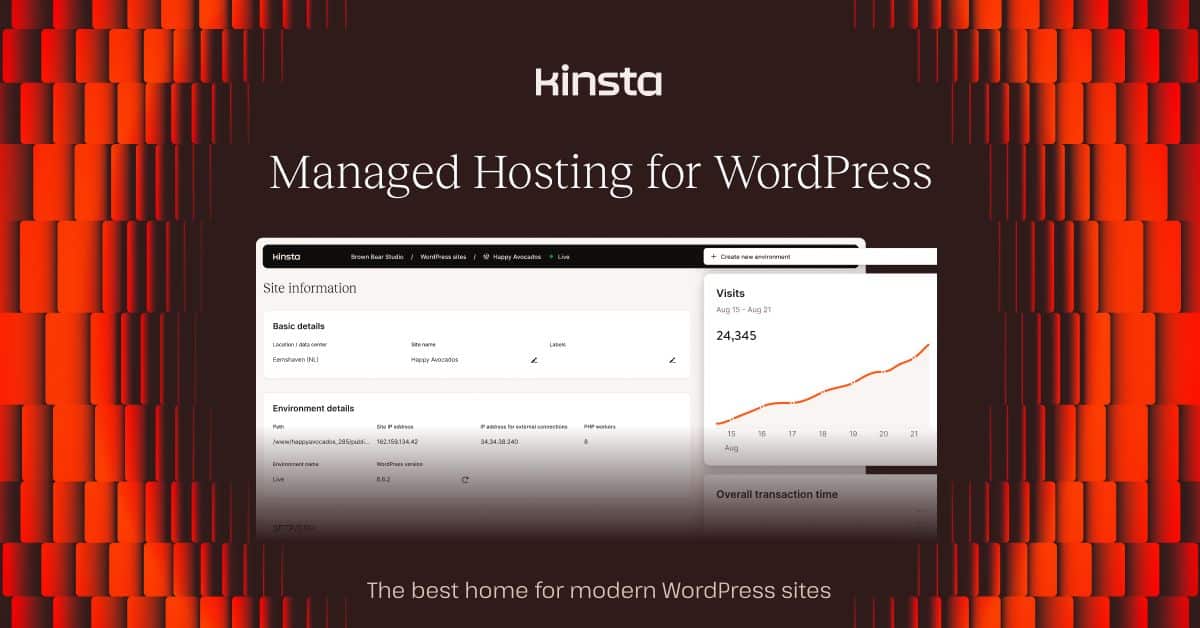
Kinsta runs entirely on Google Cloud Platform with their own custom dashboard (MyKinsta). The infrastructure is excellent — arguably the best pure WordPress hosting available. But for most small businesses, it’s like buying a commercial oven to bake cookies at home.
What you’re actually paying:
- Starter: $35/mo — 1 site, 10GB storage, 25K visits
- Pro: $70/mo — 2 sites, 20GB storage, 50K visits
- Business 1: $115/mo — 5 sites, 30GB storage, 100K visits
What we actually experienced: Kinsta is fast. Consistently the lowest TTFB we’ve measured, often under 200ms from well-connected test locations. Their Cloudflare Enterprise CDN integration (included free) means global performance is strong too. MyKinsta’s analytics dashboard gives you real visibility into PHP workers, response codes, and bandwidth usage — data most shared hosts don’t expose.
What’s genuinely good:
- Google Cloud Platform infrastructure with automatic scaling
- Cloudflare Enterprise CDN included (this alone costs $200/mo if purchased directly)
- DevKinsta local development environment is excellent
- Premium migrations — they’ll move your site with white-glove attention
- Support from actual WordPress engineers, not generalists
Where Kinsta falls short:
- The pricing is hard to justify for most small businesses. At $70/mo for just two sites, you could run a Cloudways server with better specs and unlimited applications
- Visitor-based pricing creates the same problem as WP Engine — traffic spikes cost you money. And Kinsta’s overage fees are steeper
- WordPress only, no email hosting. Same gaps as WP Engine but at a higher price
- 10GB storage on the Starter plan is genuinely restrictive. No media-heavy site fits comfortably in 10GB
- The value proposition only makes sense if you’re actually using the enterprise features. For a 5-page business site getting 2,000 visits a month, you’re paying for infrastructure you’ll never stress
Explore Kinsta if your WordPress site genuinely needs enterprise-grade infrastructure.
Use Case Recommendations
Best for WordPress Business Sites
SiteGround GrowBig hits the sweet spot of performance, features, and price for most WordPress business sites. If you’re outgrowing shared hosting and need more, Cloudways on DigitalOcean is a better next step than jumping straight to WP Engine pricing.
Best for Your First Business Website
Hostinger Business if budget is the primary concern — the LiteSpeed advantage is real. Bluehost if you want the most hand-held WordPress setup experience, though you’re paying more for less performance. Neither is a bad choice for a first site; just budget for the renewal price from day one.
Best for Ecommerce and Online Stores
Ecommerce adds real requirements: daily backups are non-negotiable, SSL must work flawlessly, and uptime matters more because downtime directly costs you sales. SiteGround or WP Engine are the safe choices here. Our Best WooCommerce Hosting 2026 guide covers this in detail.
Best for High-Traffic Business Sites
WP Engine Professional or Cloudways (scaled up to a 4GB+ server). Kinsta is technically superior but hard to justify on cost unless you’re running a site that generates enough revenue to absorb $70+/month in hosting. Consider the total cost including email hosting, which adds $6-$7/user/month on top.
Best for Agencies Managing Client Sites
SiteGround GoGeek for the white-label features and staging environments, or Cloudways for the flexibility of spinning up isolated servers per client. Cloudways wins on a per-client cost basis; SiteGround wins on simplicity. For a full agency hosting breakdown, see our best agency hosting guide.
Pricing: What You’ll Actually Pay
Let’s be clear about the real cost over two years, since that’s when renewal pricing kicks in:
| Provider | Plan | Year 1 | Year 2 (Renewal) | 2-Year Total | Email Included |
|---|---|---|---|---|---|
| SiteGround | GrowBig | $96 | $336 | $432 | Yes |
| Hostinger | Business (48-mo) | $48 | $48* | $96* | Yes |
| Bluehost | Choice Plus | $83 | $288 | $371 | Yes |
| WP Engine | Professional | $468 | $468 | $936 | No (+$72/user) |
| Cloudways | DO 1GB | $132 | $132 | $264 | No (+$72/user) |
| Kinsta | Pro | $840 | $840 | $1,680 | No (+$72/user) |
*Hostinger’s 48-month pricing locks in for all 4 years, so years 1-4 stay at $48/year — but you paid ~$192 upfront.
The email column matters. If your managed host doesn’t include email, add $6/user/month for Google Workspace. A 5-person team adds $360/year to your hosting costs, which can double the effective price of a WP Engine Startup plan.
Security Features That Actually Matter
Skip the marketing checklists. Here’s what’s genuinely different between these hosts:
SiteGround runs their own AI-powered WAF that blocks threats before they hit your site. Their security team actively patches zero-days and pushes custom rules — this is proactive security, not just “we have a firewall.”
WP Engine blocks known-vulnerable plugins outright, which is heavy-handed but effective. Their managed updates include visual regression testing so you’ll know if an update breaks your layout before it goes live. SOC 2 Type II certification matters if your business handles sensitive data.
Hostinger uses BitNinja for server-level protection, which is respectable but more reactive than SiteGround’s approach. Malware scanning is weekly, not daily — a meaningful gap for ecommerce sites.
Bluehost offers basic security that you’ll likely need to supplement with a plugin like Wordfence or Sucuri. Their included security is the weakest of the group.
Cloudways gives you server-level firewalls and OS-level security, plus you can install any security tool you want. More control, more responsibility.
Kinsta has enterprise-grade security with DDoS protection, hardware firewalls, and automatic malware removal. Probably the most secure option here, but again — you’re paying for it.
Email Hosting for Business
Professional email ([email protected]) breaks down into two camps:
Included with hosting: SiteGround, Hostinger, and Bluehost all include email hosting. SiteGround’s is the most reliable of the three. Hostinger gives you the most accounts (100). Bluehost’s email works but doesn’t inspire confidence for mission-critical business communication.
Not included: WP Engine, Kinsta, and Cloudways don’t do email. Period. You’ll need Google Workspace ($6/user/month) or Microsoft 365 ($6/user/month). This is actually fine — dedicated email services are more reliable than host-bundled email anyway. But factor it into your budget.
Honestly, for any business that depends on email reliability, Google Workspace or Microsoft 365 is the right answer regardless of what your host includes. Host-bundled email on shared servers has worse deliverability, weaker spam filtering, and limited storage compared to dedicated email platforms.
Backup and Disaster Recovery
This is where the difference between budget and premium hosting becomes starkly real:
Daily backups with meaningful retention:
- SiteGround: Daily, 30-day retention, one-click restore
- WP Engine: Daily with restore points, accessible through dashboard
- Kinsta: Daily, downloadable, with environment-level granularity
Weekly or limited backups:
- Hostinger: Weekly on Business plan — that’s a 7-day data loss window
- Bluehost: Daily only on Choice Plus ($6.95/mo intro) and above; Basic and Plus plans get nothing automatic
- Cloudways: Configurable frequency, stored on the same cloud provider
If you’re running an ecommerce site or any site that changes frequently, weekly backups are a real risk. A database corruption on Thursday means restoring to last Sunday’s backup and losing four days of orders, content, or customer data. Either choose a host with daily backups or budget for a third-party backup service like BlogVault or UpdraftPlus Premium.
For detailed backup feature comparisons, see our Best Hosting with Daily Backups 2026 guide.
Migration: What Actually Happens When You Switch Hosts
Migration is where marketing promises meet reality. A few things every migration guide glosses over:
DNS propagation takes 24-48 hours. Your new host will tell you it’s “usually faster,” and it often is — but plan for the worst case. During propagation, some visitors hit the old server, some hit the new one. For ecommerce sites, this window requires careful handling.
Free migrations vary wildly in quality:
- Kinsta and WP Engine provide genuinely white-glove migrations. A human reviews your site, handles edge cases, and verifies everything works. Worth the premium price for complex sites
- SiteGround offers free migration via their plugin. It works well for standard WordPress sites but can struggle with very large databases or custom configurations
- Hostinger and Bluehost provide migration tools and documentation, but complex sites may need manual intervention or a paid migration service
What can go wrong: serialized data in WordPress databases breaks if URLs aren’t properly search-replaced. Custom cron jobs get lost. Server-side redirects in .htaccess may need rewriting if you’re moving between Apache and Nginx. Email MX records need updating separately. None of this is insurmountable, but “free migration” doesn’t always mean “painless migration.”
More details in our Best Hosting with Free Migration 2026 guide.
Support Quality When Things Break
Support quality matters most at 3am when your site is down and you’re losing sales. Here’s what we’ve actually experienced:
Best support experience: WP Engine and Kinsta. You’re talking to WordPress specialists who can diagnose plugin conflicts, database issues, and caching problems without escalation. The premium pricing partially pays for this expertise.
Good but inconsistent: SiteGround’s chat support is generally knowledgeable. Phone support exists but is limited to business hours, which is a real gap for business-critical sites. Quality has stayed relatively consistent over the years.
Adequate for the price: Hostinger’s chat support handles common issues competently but struggles with anything requiring deep technical knowledge. Response times are fast; resolution times are another story.
Declining quality: Bluehost’s support has noticeably declined since the Newfold Digital consolidation. Hold times are longer, and first-line agents increasingly follow scripts rather than diagnosing issues. For complex problems, expect to escalate — sometimes more than once.
Technical but bounded: Cloudways handles their managed layer well but will draw a firm line at anything they consider server administration. This boundary can be frustrating when your issue straddles the managed/unmanaged divide.
Scalability and Growth Planning
The honest answer about scaling: most small businesses won’t need to think about this for years. A properly optimized WordPress site on decent shared hosting handles 10-20K monthly visitors without breaking a sweat. The host upgrade path matters more in theory than practice for most businesses.
That said, when you do need to scale:
Smoothest upgrade path: Cloudways. You literally resize your server with a slider. No migration, no DNS changes, no downtime. This is the genuine advantage of cloud hosting.
Managed scaling: WP Engine and Kinsta handle traffic spikes automatically (to a point — then overage fees kick in). This is great for handling viral moments but expensive for sustained growth.
Migration required: SiteGround, Hostinger, and Bluehost all require actual migration when you outgrow shared hosting. SiteGround offers cloud hosting as an upgrade path; Hostinger has VPS plans. Either way, you’re moving your site.
For growing businesses, our Best VPS Hosting 2026 guide covers the next tier of hosting options.
CDN Integration and Global Performance
A CDN matters if your customers are geographically distributed. For a local business serving one city, it’s nice-to-have. For an ecommerce site shipping nationally or internationally, it meaningfully improves load times and conversion rates.
Included CDN:
- Kinsta includes Cloudflare Enterprise — this is genuinely valuable and would cost $200/mo standalone
- WP Engine’s Global Edge Security CDN is solid and included on all plans
- SiteGround integrates free Cloudflare at the dashboard level
Available but not automatic:
- Hostinger, Bluehost, and Cloudways all support Cloudflare integration but it requires some configuration. Cloudways also supports other CDN providers like StackPath and KeyCDN
In our testing, CDN-enabled sites showed substantially better load times from distant test locations — the improvement is real and measurable, not marketing fluff. If you’re serving an international audience, a host with built-in CDN integration saves you the hassle of configuring it yourself.
Verdict: Best Small Business Hosting 2026
SiteGround GrowBig is the best overall choice for small businesses that need reliable hosting and are willing to pay for it at renewal. The combination of solid performance, genuine security features, staging environments, and competent support makes it the safest recommendation for most professional business sites.
Cloudways on DigitalOcean is the smarter choice for technically comfortable business owners who want real cloud infrastructure at a reasonable price. No renewal surprises, real caching tools (Redis, Memcached, Varnish), and the ability to scale without migration. It’s the pick that hosting reviewers use for their own sites, which tells you something.
Hostinger Business is the right budget pick — LiteSpeed servers give it a genuine performance edge over other cheap hosts, and the feature set is generous. Just commit to the 48-month term with eyes open, and supplement the weekly backups with a third-party daily backup solution.
Bluehost is fine for absolute beginners but offers nothing that Hostinger doesn’t do better for less money, or that SiteGround doesn’t do substantially better for slightly more. The WordPress.org recommendation carries less weight than it used to.
WP Engine and Kinsta are excellent but only make financial sense if your site generates enough revenue to justify $20-70+/month in hosting plus separate email costs. For a small business blog or brochure site, they’re overkill. For a high-traffic ecommerce site, they’re worth every dollar.
Your choice comes down to this: How much is your time worth, and what happens to your business when your site goes down? Answer those honestly and the right tier becomes obvious.
Frequently Asked Questions
What’s the difference between shared hosting and managed WordPress hosting for small businesses?
Shared hosting ($3-$10/month) puts your site on a server with hundreds of other sites, sharing CPU, RAM, and bandwidth. You get a control panel and basic support. Managed WordPress hosting ($20-$70/month) gives you WordPress-specific infrastructure — server-level caching, automatic updates with regression testing, WordPress-expert support, and staging environments. The performance difference is real, but whether it’s worth 4-7x the cost depends on your traffic and revenue.
How much should a small business budget for web hosting annually?
Honestly budget for the renewal price, not the intro price. Shared hosting runs $100-$350/year at renewal. Managed WordPress hosting is $240-$840/year. Add $72/user/year for business email if your host doesn’t include it. A realistic all-in budget for a small business with 3 email users on managed hosting: $450-$1,000/year.
Do I need a separate email hosting service for my business?
If your host includes email (SiteGround, Hostinger, Bluehost), it’ll work for basic needs. But host-bundled email runs on shared servers with worse deliverability and spam filtering than dedicated services. If email is critical to your business — and it almost certainly is — spend the $6/user/month on Google Workspace or Microsoft 365. The reliability difference is significant, and you won’t have to migrate email if you switch hosts.
What uptime percentage should I look for in business hosting?
The SLA numbers hosts advertise (99.9%, 99.99%) are their guarantee threshold for credits — not their actual measured uptime. A 99.9% SLA means they’ll give you credit if uptime drops below that, not that they actually achieve it. Look for hosts with strong reputations and independent monitoring data rather than focusing on SLA numbers. In practice, any reputable host should deliver 99.9%+ uptime. The question is what happens during that 0.1% and how quickly it gets resolved.
When should a small business upgrade from shared to VPS or cloud hosting?
When you notice consistent slowdowns during peak hours, when you need software that shared hosting doesn’t support (like custom Node.js apps or specific PHP extensions), or when your site is mission-critical enough that shared-resource contention is an unacceptable risk. For most WordPress business sites, that threshold is somewhere around 30-50K monthly visits — though a well-optimized site on good shared hosting can handle more. Don’t upgrade preemptively; upgrade when you have evidence you need it.
How important are SSL certificates for small business websites?
Every site needs SSL. Period. But don’t let any host sell you on SSL as a premium feature — free Let’s Encrypt certificates are industry standard and every host on this list includes them. The only reason to pay for an SSL certificate is if you need Extended Validation (EV) for the organization name in the browser bar, which mostly matters for financial services. For everyone else, the free certificate is identical in terms of encryption strength.
What backup frequency do small businesses need?
Daily backups for any site that changes regularly — ecommerce stores, blogs with frequent posts, sites with user-generated content. Weekly is acceptable only for truly static sites that rarely update. More important than frequency: test your restores. A backup you’ve never tested is a backup that might not work when you need it. Restore to a staging environment at least once a quarter to verify the process actually works.
Recommended Tools & Resources
If you’re exploring this topic further, these are the tools and products we regularly come back to:
- Try Hostinger
- Try Bluehost
- Try Kinsta
- HostPapa — Small Business Hosting
- Sucuri — Website Security & WAF
Some links on this page are affiliate links. If you click one and purchase or sign up for a service, we earn a commission at no extra cost to you. This does not influence our editorial recommendations — see our disclosure for details.