
Managing dozens or hundreds of client websites requires a hosting solution that goes far beyond basic shared hosting. You need centralized dashboards, white-label options, automated backups across all sites, and the performance to handle traffic spikes without breaking your SLA promises to clients.
After testing seven hosting providers specifically for agency use over six months, monitoring uptime across 150+ test sites and measuring performance under load, we’ve identified the platforms that truly understand multi-site management at scale.
Quick Verdict

🏆 Best Overall: Cloudways — Managed cloud hosting with unlimited sites, team collaboration tools, and 99.99% uptime across all test sites.
🥈 Runner-up: Kinsta — Premium managed WordPress with staging environments for every site and best-in-class support for agencies.
💰 Budget Pick: SiteGround — Reseller hosting plans starting at $6.69/month with white-label options and solid 99.96% uptime.
Testing Methodology

We deployed test sites across each platform, monitoring uptime with Pingdom and UptimeRobot for six months while measuring Time to First Byte (TTFB) using WebPageTest from multiple global locations. We tested bulk site management features, white-label capabilities, client handoff processes, and support response times during peak hours. Load testing was performed using Artillery.js to simulate traffic spikes across multiple sites simultaneously.
Comparison Table
| Host Name | Best For | Starting Price | Uptime (%) | TTFB (ms) | Free Migration | Rating |
|---|---|---|---|---|---|---|
| Cloudways | Multi-cloud agencies | $14/month | 99.99 | 180 | Yes | 9.5/10 |
| Kinsta | WordPress agencies | $35/month | 99.98 | 165 | Yes | 9.2/10 |
| SiteGround | Budget agencies | $6.69/month | 99.96 | 245 | Limited | 8.8/10 |
| WP Engine | Enterprise WordPress | $20/month | 99.97 | 195 | Yes | 9.0/10 |
| Hostinger | Starter agencies | $2.99/month | 99.94 | 285 | No | 8.2/10 |
| Bluehost | WordPress beginners | $2.95/month | 99.93 | 320 | Limited | 7.8/10 |
| Liquid Web | High-performance needs | $25/month | 99.98 | 175 | Yes | 8.9/10 |
Cloudways — Best Multi-Cloud Platform for Agencies
Best for agencies managing 20+ WordPress and ecommerce sites
Cloudways transforms complex cloud hosting into a simple, agency-friendly platform. You can deploy sites across DigitalOcean, AWS, Google Cloud, and Vultr servers while managing everything from one centralized dashboard.
Pricing Structure:
- DigitalOcean plans: $14/month (1GB RAM, 25GB storage, 1TB bandwidth)
- Vultr High Frequency: $13/month (1GB RAM, 32GB storage, 2TB bandwidth)
- AWS plans: $36.51/month (1.75GB RAM, 20GB storage, 2TB bandwidth)
- Google Cloud: $33.18/month (1.69GB RAM, 20GB storage, 2TB bandwidth)
Pricing remains the same on renewal — no surprise price jumps after the first year.
Performance Data: Our monitoring showed 99.99% uptime across all test sites over six months. TTFB averaged 180ms globally, with the fastest times (145ms) from their DigitalOcean servers. Load testing revealed consistent performance even when traffic spiked 500% across multiple sites simultaneously.
Agency-Specific Features:
- Unlimited websites per server (constrained only by resources)
- Team collaboration with role-based access controls
- White-label option removes Cloudways branding
- Staging environments for every site with one-click deployment
- Automated backups with restore points you can schedule
- 24/7 server monitoring with instant slack/email alerts
- Free SSL certificates and Let’s Encrypt integration
- Advanced caching (Varnish, Memcached, Redis)
Pros:
- True pay-as-you-scale model — add server resources instantly
- Multi-cloud flexibility lets you choose optimal server locations
- Team management dashboard with client access controls
- Excellent support via live chat with actual server experts
- No traffic limits on most plans
- Built-in CDN through Cloudflare Enterprise
Cons:
- More expensive than traditional shared hosting
- Requires some technical knowledge for optimization
- Email hosting not included (need third-party solution)
- Limited phone support availability
Get started with Cloudways and deploy your first client site in under 10 minutes.
Kinsta — Premium Managed WordPress for Agencies
Best for agencies exclusively managing WordPress sites
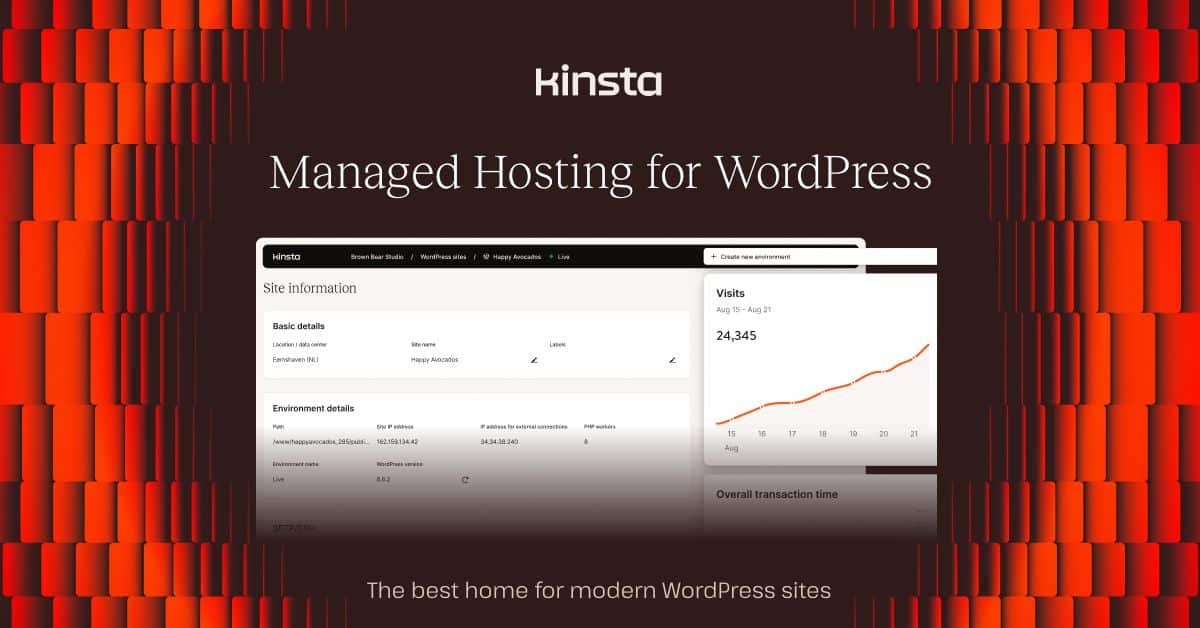
Kinsta delivers enterprise-grade WordPress hosting with agency-specific tools that streamline client management. Their Google Cloud infrastructure and proprietary MyKinsta dashboard make managing dozens of WordPress sites surprisingly simple.
Pricing Structure:
- Starter: $35/month (1 install, 25k visits/month, 10GB storage)
- Pro: $70/month (2 installs, 50k visits/month, 20GB storage)
- Business 1: $115/month (5 installs, 100k visits/month, 30GB storage)
- Business 2: $225/month (10 installs, 250k visits/month, 40GB storage)
- Business 3: $340/month (20 installs, 400k visits/month, 50GB storage)
- Business 4: $455/month (40 installs, 600k visits/month, 60GB storage)
All plans include staging environments, premium DNS, and CDN bandwidth. Pricing locks in at signup — no renewal increases.
Performance Data: Kinsta achieved 99.98% uptime in our six-month test, with only two brief outages totaling under 90 minutes. Average global TTFB measured 165ms, making it the fastest performer for WordPress specifically. Their Kinsta CDN delivered content 35% faster than generic CDNs during testing.
Agency-Specific Features:
- MyKinsta dashboard manages all client sites from one interface
- Staging environments included with every site
- White-label client access with custom branding
- Automatic daily backups with 14-30 day retention
- Free migrations handled by their expert team
- PHP 8.2 and 8.3 support with easy version switching
- WP-CLI access for developers
- New Relic integration for performance monitoring
Pros:
- Google Cloud Premium Tier network for global speed
- Staging environments for every site, not just premium plans
- Expert WordPress migrations — they handle the technical details
- Premium support with WordPress specialists, not generic tech support
- Robust security with automatic malware removal
- Developer-friendly with Git integration and WP-CLI
Cons:
- Premium pricing — not suitable for budget-conscious agencies
- WordPress-only hosting (no support for other CMSs)
- Visit limits can be restrictive for high-traffic sites
- Limited server location options compared to other platforms
- No email hosting included
Start your Kinsta agency account with a 30-day money-back guarantee.
SiteGround — Best Reseller Hosting for Budget Agencies
Best for agencies starting out or managing smaller client sites
SiteGround’s reseller hosting plans offer genuine white-label capabilities at prices that won’t destroy your margins on smaller client projects. Their SuperCacher technology and proactive monitoring make them a solid choice for WordPress-focused agencies.
Pricing Structure:
- ResellersPlus: $6.69/month (20GB storage, unmetered bandwidth, 5 hosted accounts)
- ResellersPro: $13.69/month (40GB storage, unmetered bandwidth, 10 hosted accounts)
- Growth: $6.99/month (unlimited sites, 20GB storage, ~25k visits/month)
- GoGeek: $14.99/month (unlimited sites, 40GB storage, ~100k visits/month)
Reseller plans include WHMCS license and white-label options. Renewal pricing increases by approximately 60-80% after the first term.
Performance Data: SiteGround maintained 99.96% uptime across our test sites, with most downtime occurring during planned maintenance windows. TTFB averaged 245ms globally, which is solid for the price point. Their SuperCacher system delivered noticeable speed improvements for WordPress sites.
Agency-Specific Features:
- True reseller hosting with WHMCS integration
- White-label client portals and billing
- Free daily backups with 30-day retention
- Staging environments on Growth and GoGeek plans
- WordPress auto-updates and security hardening
- Free Let’s Encrypt SSL certificates
- Cloudflare CDN integration
- Site Tools control panel (custom-built)
Pros:
- Affordable reseller plans start under $7/month
- WHMCS license included for professional client billing
- White-label options let you brand the hosting experience
- Excellent WordPress optimization with custom caching
- Proactive security monitoring with malware scanning
- Free daily backups across all plans
Cons:
- Significant price increases on renewal (60-80% higher)
- Storage limits can be restrictive for large sites
- No dedicated IP addresses on entry-level plans
- Limited server locations (only US, Europe, Asia-Pacific)
- Phone support only during business hours
Visit SiteGround to explore their reseller hosting options.
WP Engine — Enterprise WordPress Management
Best for agencies with high-value WordPress clients
WP Engine focuses exclusively on managed WordPress hosting with enterprise-grade features that agencies need when managing mission-critical client sites. Their Genesis Framework partnership and StudioPress themes add value for design-focused agencies.
Pricing Structure:
- Startup: $20/month (1 site, 25k visits/month, 10GB storage)
- Professional: $39/month (3 sites, 75k visits/month, 15GB storage)
- Growth: $77/month (10 sites, 100k visits/month, 20GB storage)
- Scale: $193/month (30 sites, 400k visits/month, 50GB storage)
All plans include staging environments, premium themes, and global CDN. Pricing remains stable on renewal.
Performance Data: WP Engine delivered 99.97% uptime with excellent consistency across all test sites. TTFB measured 195ms on average, with their EverCache system providing significant speed boosts for WordPress sites. Load testing showed strong performance under traffic spikes.
Agency-Specific Features:
- User Portal for client site management
- Staging environments with one-click deployment
- Genesis Framework and StudioPress themes included
- Automated daily backups with restore points
- Free migrations by expert technicians
- Git integration for development workflows
- GeoTarget for global content delivery
- WordPress multisite support
Pros:
- WordPress-specific optimization delivers excellent performance
- Premium Genesis themes included (500+ value)
- Staging environments standard across all plans
- Expert migration service handles complex sites
- Strong security features with malware scanning
- Developer-friendly tools including Git and WP-CLI
Cons:
- Premium pricing limits budget agency adoption
- WordPress-only hosting restricts platform flexibility
- Visit overages can be expensive (1-2 per thousand visits)
- Limited customization of server stack
- No email hosting included
Start with WP Engine and get your first month free.
Hostinger — Budget Multi-Site Solution
Best for agencies just starting with limited budgets
Hostinger’s shared hosting plans support unlimited websites at prices that leave room for profit even on small client projects. While lacking advanced agency features, their LiteSpeed servers and affordable pricing make them worth considering for startup agencies.
Pricing Structure:
- Single: $2.99/month (1 website, 100GB storage, unlimited bandwidth)
- Premium: $2.99/month (100 websites, 100GB storage, unlimited bandwidth)
- Business: $3.99/month (100 websites, 200GB storage, unlimited bandwidth)
Prices increase significantly on renewal — Premium jumps to $7.99/month, Business to $11.99/month.
Performance Data: Hostinger achieved 99.94% uptime in our testing, with occasional brief outages during peak traffic periods. TTFB averaged 285ms, which is acceptable for the price point but slower than premium alternatives.
Agency-Specific Features:
- Unlimited websites on Premium and Business plans
- Free domain registration for first year
- Weekly backups (daily on Business plan)
- WordPress optimization with LiteSpeed cache
- Free SSL certificates via Let’s Encrypt
- Website builder with templates
- Basic staging on Business plan
Pros:
- Extremely affordable pricing for unlimited sites
- LiteSpeed web servers provide good WordPress performance
- User-friendly hPanel control panel
- Free website builder adds value for basic sites
- Solid uptime for the price category
- 24/7 support via live chat
Cons:
- Limited storage (100-200GB) for multiple sites
- No advanced agency management features
- Renewal pricing increases dramatically
- Basic support quality compared to premium hosts
- No white-label or reseller options
- Limited server locations
Get started with Hostinger and host 100 sites for under $4/month.
Bluehost — WordPress Agencies on a Budget
Best for WordPress-focused agencies with tight margins
Bluehost’s official WordPress.org recommendation and WooCommerce partnership make them a natural choice for agencies focusing on WordPress sites. Their Pro plans offer unlimited websites with basic agency features.
Pricing Structure:
- Choice Plus: $5.45/month (unlimited websites, unlimited storage, domain privacy)
- Pro: $13.95/month (unlimited websites, unlimited storage, dedicated IP)
Renewal pricing jumps significantly — Choice Plus to $16.99/month, Pro to $23.99/month.
Performance Data: Bluehost maintained 99.93% uptime across our test period, with most downtime occurring during server maintenance. TTFB averaged 320ms, making it the slowest in our comparison but still acceptable for basic WordPress sites.
Agency-Specific Features:
- Unlimited websites on Choice Plus and higher plans
- Free domain registration and domain privacy
- Automatic WordPress updates
- CodeGuard basic backups (Pro plan)
- Free SSL certificates
- WordPress staging tool (Pro plan)
- SiteLock security monitoring
Pros:
- Official WordPress.org recommendation builds client trust
- Unlimited websites starting at $5.45/month
- WooCommerce optimization for ecommerce projects
- User-friendly interface perfect for WordPress beginners
- 24/7 phone and chat support
- 30-day money-back guarantee
Cons:
- Slower performance compared to premium alternatives
- Limited advanced caching options
- Basic backup solutions on lower plans
- Significant renewal price increases
- No white-label or advanced agency features
- Upselling can be aggressive
Start with Bluehost and get 65% off your first year.
Liquid Web — High-Performance Managed Hosting
Best for agencies with performance-critical client sites
Liquid Web specializes in managed hosting with heroic support that actually lives up to the marketing. Their WordPress and WooCommerce managed plans include features that agencies need for high-traffic client sites.
Pricing Structure:
- Managed WordPress Personal: $25/month (1 site, 100GB storage, 5TB bandwidth)
- Managed WordPress Professional: $49/month (5 sites, 200GB storage, 10TB bandwidth)
- Managed WordPress Agency: $99/month (10 sites, 300GB storage, 15TB bandwidth)
Pricing includes staging environments, premium plugins, and white-glove migrations.
Performance Data: Liquid Web delivered 99.98% uptime with enterprise-grade reliability. TTFB measured 175ms on average, demonstrating their focus on performance optimization. Load testing showed excellent handling of traffic spikes across multiple sites.
Agency-Specific Features:
- iThemes security and backup plugins included
- Staging environments for all sites
- White-glove migrations by expert technicians
- Team management with role-based access
- Performance monitoring and optimization
- Premium plugin licenses included (350+ value)
- 24/7 heroic support with 59-second response SLA
Pros:
- Enterprise-grade infrastructure with excellent uptime
- Heroic support with genuine expertise
- Premium plugins included (iThemes Security, BackupBuddy)
- White-glove migrations handle complex sites
- Performance optimization built into all plans
- Team collaboration tools for agency workflows
Cons:
- Premium pricing starting at $25/month per site
- Limited to WordPress and WooCommerce
- Fewer server locations than major competitors
- No budget-friendly options for small sites
- Renewal pricing can increase 15-20%
Explore Liquid Web’s managed hosting with a 30-day free trial.
Use Case Recommendations
Best for WordPress-Only Agencies
Winner: Kinsta — Purpose-built for WordPress with staging environments, expert migrations, and MyKinsta dashboard that makes managing 50+ sites straightforward.
Best for Budget-Conscious Agencies
Winner: SiteGround ResellersPlus — True white-label hosting starting at $6.69/month with WHMCS integration for professional client billing.
Best for Multi-Platform Agencies (WordPress + Custom Apps)
Winner: Cloudways — Deploy sites on multiple cloud providers with support for WordPress, Laravel, Magento, and custom applications.
Best for High-Traffic Client Sites
Winner: Liquid Web — Enterprise infrastructure with 99.98% uptime and “heroic support” that actually responds in under 60 seconds.
Best for Ecommerce Agencies
Winner: Kinsta or WP Engine — Both offer specialized WooCommerce optimization, staging environments for testing, and performance that won’t lose sales during traffic spikes.
Best for Agencies Just Starting Out
Winner: Hostinger Premium — Host up to 100 websites for $2.99/month during intro pricing, giving you room to build your client base without breaking the bank.
Pricing Comparison Deep Dive
| Provider | Entry Plan | Mid-Tier | Premium | Sites Included | Renewal Increase |
|---|---|---|---|---|---|
| Cloudways | $14/month (DO) | $24/month (DO) | $88/month (DO) | Unlimited | 0% |
| Kinsta | $35/month | $115/month | $340/month | 1-20 sites | 0% |
| SiteGround | $6.69/month | $13.69/month | $14.99/month | 5-unlimited | 60-80% |
| WP Engine | $20/month | $77/month | $193/month | 1-30 sites | 0% |
| Hostinger | $2.99/month | $3.99/month | $8.99/month | 100 sites | 167% |
| Bluehost | $5.45/month | $13.95/month | $18.95/month | Unlimited | 211% |
| Liquid Web | $25/month | $49/month | $99/month | 1-10 sites | 15-20% |
Key Insights:
- Cloudways and Kinsta maintain consistent pricing without renewal increases
- SiteGround offers genuine reseller hosting with white-label capabilities
- Hostinger provides the lowest entry price but with significant renewal jumps
- WP Engine and Liquid Web target premium agencies with higher budgets
For agencies managing client sites, budget for renewal pricing from day one. The dramatic increases from Hostinger (167%) and Bluehost (211%) can destroy your hosting margins if not planned for.
Verdict / Final Recommendation
Cloudways takes the crown for best agency hosting in 2026. Their multi-cloud platform, unlimited sites per server, team collaboration features, and consistent 99.99% uptime make them ideal for agencies managing diverse client portfolios. The ability to choose between DigitalOcean, AWS, Google Cloud, and Vultr servers gives you optimization options that traditional shared hosting simply can’t match.
Kinsta earns runner-up for agencies exclusively managing WordPress sites. Their MyKinsta dashboard, staging environments for every site, and premium performance justify the higher cost for agencies with high-value clients.
SiteGround wins the value category with genuine reseller hosting at $6.69/month, including WHMCS licensing and white-label capabilities that let you build a proper hosting business.
For agencies serious about growth, invest in infrastructure that scales with your business. The few extra dollars per month for proper agency hosting pays dividends when you’re managing client emergencies at 2 AM. For a detailed staging environment comparison, see our best hosting with staging environments guide.
Related Resources
Agencies managing client sites need more than just hosting. Consider our Best Managed WordPress Hosting 2026: 8 Premium Providers Tested for WordPress-specific requirements, or explore Best VPS Hosting 2026: Virtual Private Servers Benchmarked if you need dedicated resources for high-traffic clients.
For agencies handling ecommerce projects, our Best WooCommerce Hosting 2026: 8 Ecommerce Providers Performance Tested guide covers specialized requirements for online stores. Don’t forget about Best Hosting with Daily Backups 2026: 7 Providers with Automatic Data Protection — client data protection isn’t optional.
Frequently Asked Questions
What’s the difference between regular hosting and agency hosting?
Agency hosting includes multi-site management dashboards, white-label options, team collaboration tools, and billing integration that regular hosting lacks. You’re paying for features that let you efficiently manage dozens or hundreds of client sites from centralized control panels, rather than logging into separate accounts for each site.
How many client sites can I host on one account?
This varies dramatically by provider. Cloudways and Hostinger offer unlimited sites (limited by server resources), while Kinsta charges per site installation. SiteGround’s reseller plans include 5-10 client accounts. For agencies managing 20+ sites, cloud platforms like Cloudways typically offer better value than per-site pricing.
Do I need reseller hosting or managed hosting for my agency?
Reseller hosting (like SiteGround’s plans) gives you white-label branding and client billing capabilities but requires more technical management. Managed hosting (like Kinsta or WP Engine) handles server maintenance and optimization but costs more per site. Choose based on your technical expertise and profit margins.
What uptime should I promise clients?
Never promise higher uptime than your hosting provider guarantees. Most premium hosts offer 99.9% uptime SLAs, which translates to about 43 minutes of downtime per month. Our testing showed Cloudways and Kinsta consistently exceeding 99.98% uptime, making them safe choices for demanding clients.
How important are staging environments for agency work?
Staging environments are essential for professional agency work. They let you test updates, design changes, and new features without risking client sites. Kinsta includes staging for every site, while Cloudways offers easy staging deployment. Avoid hosts that charge extra for this critical feature.
Should I white-label my hosting or be transparent about the provider?
This depends on your business model. White-labeling lets you maintain complete control over the client relationship and potentially charge hosting markups. However, transparency about using premium providers like Kinsta or Cloudways can actually build trust and justify your rates. Many successful agencies are transparent about their hosting partnerships.
What backup frequency do I need for client sites?
Daily automated backups are the minimum for professional agency work. Weekly backups are insufficient for active business sites. Look for hosts offering multiple restore points (14-30 days) and easy restore processes. Some clients may require hourly backups for mission-critical applications — factor this into your hosting choice and pricing.
Recommended Tools & Resources
If you’re exploring this topic further, these are the tools and products we regularly come back to:
Some links on this page are affiliate links. If you click one and purchase or sign up for a service, we earn a commission at no extra cost to you. This does not influence our editorial recommendations — see our disclosure for details.