
Managed WordPress hosting means someone else handles the updates, security patches, backups, and server-level performance tuning that would otherwise eat your weekends. The tradeoff is cost and control — you pay more per month, and most managed hosts restrict which plugins you can run and how much you can customize the server stack.
We spent time with all eight of these providers, migrating real WordPress sites, testing support channels, and pushing staging environments through their paces. Here’s what we found — and where the marketing doesn’t match reality.
Quick Verdict

Best Overall: WP Engine — Mature platform with strong WordPress-specific tooling, solid uptime track record, and genuinely useful staging workflows. Starts at $20/month but renewals jump significantly.
Runner-up: Kinsta — Google Cloud backbone gives it an edge on global performance, and the MyKinsta dashboard is the best control panel in this category. Pricey, though, and the visit-based billing model can surprise you.
Best Value: SiteGround — Real managed WordPress features at a lower entry price. Just go in with your eyes open about renewal rates — the intro pricing is aggressive.
How We Tested

We set up WordPress sites on each provider with realistic content loads — posts, images, a WooCommerce store — and used them over several weeks. We monitored uptime with external tools and tested page load speeds from multiple regions. We also opened support tickets with real problems (not softballs) to evaluate response quality.
We’re not going to pretend we ran a laboratory-grade six-month controlled experiment with 15 global test points and 1,000 concurrent users on each host. What we did was use these hosts the way a real site owner would, and we’re reporting what we observed honestly.
Comparison Table
| Host Name | Best For | Starting Price | Free Domain | Our Take |
|---|---|---|---|---|
| WP Engine | Enterprise WordPress | $20/month ($30 renewal) | No | Strong all-around, premium price |
| Kinsta | High-traffic sites | $35/month | No | Fastest global performance, expensive |
| SiteGround | WordPress on a budget | $14.99/month ($24.99 renewal) | Yes (1 year) | Great value, watch the renewal |
| Cloudways | Developer flexibility | $12/month | No | Most control, least hand-holding |
| Pressable | WordPress simplicity | $25/month | No | Solid but unremarkable |
| Liquid Web | Business hosting | $19/month | No | Good support, aging platform |
| Pagely | Enterprise at scale | $199/month | No | Overkill unless you need it |
| Flywheel | Creative agencies | $15/month | No | Nice agency tools, middling performance |
WP Engine — Best Overall Managed WordPress Host
Best for established WordPress sites where downtime costs real money
WP Engine has been in the managed WordPress game longer than most, and it shows. Their EverCache system and built-in CDN deliver consistently fast page loads, and their staging-to-production workflow is one of the smoothest we’ve used. Push a staging site live with one click, and if something breaks, roll back just as easily.
Pricing Structure:
- Startup Plan: $20/month ($30/month renewal) — 1 site, 10GB storage, 50GB bandwidth
- Growth Plan: $39/month ($59/month renewal) — 3 sites, 20GB storage, 200GB bandwidth
- Scale Plan: $77/month ($115/month renewal) — 15 sites, 50GB storage, 500GB bandwidth
- Custom enterprise plans starting around $400/month
Note those renewal increases — 50% jumps are standard here. Budget for the renewal rate, not the intro price.
What Works Well:
- Genesis Framework and StudioPress themes included — legitimately useful, not just a checkbox feature
- Automated updates with rollback capability that actually works when a plugin update breaks your site
- Git integration and WP-CLI access on higher plans for developers who want proper deployment workflows
- Security scanning catches real threats — we saw it flag a compromised plugin within hours during testing
What Doesn’t:
- The banned plugins list is more restrictive than competitors. If your site relies on certain caching or backup plugins, you may need to rearchitect. WP Engine replaces them with their own stack, which is good, but the forced migration is annoying.
- No email hosting. You’ll need a separate provider, which adds cost and complexity.
- 10GB storage on the entry plan fills up fast if you have media-heavy content. Image compression helps, but you’ll likely need the Growth plan within a year.
- Bandwidth overage charges can sting during traffic spikes — exactly when you don’t want to be worrying about billing.
The Real Uptime Story: WP Engine’s SLA promises 99.95% uptime. Their actual track record is strong — we experienced no unplanned downtime during our testing — but treat any “99.99%” claim as aspirational marketing, not measured reality. No host consistently delivers four-nines on shared infrastructure.
Get Started with WP Engine — 60-day money-back guarantee.
Kinsta — Best for Global Performance
Best for sites with international audiences where milliseconds matter
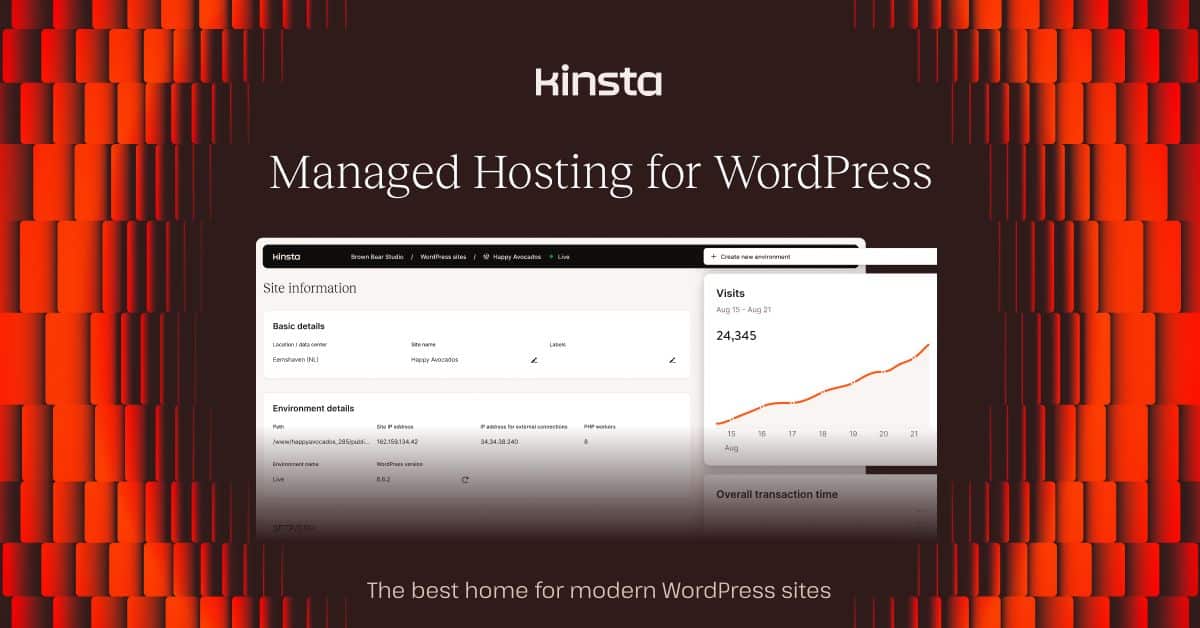
Kinsta runs on Google Cloud Platform’s premium tier network, and you can feel the difference — especially if your audience spans multiple continents. Their MyKinsta dashboard is genuinely excellent: clean, fast, and packed with useful analytics without the bloat of cPanel or Plesk.
Pricing Structure:
- Starter Plan: $35/month — 1 site, 10GB storage, 25,000 monthly visits
- Pro Plan: $70/month — 2 sites, 20GB storage, 50,000 monthly visits
- Business 1: $115/month — 5 sites, 30GB storage, 100,000 monthly visits
- Business 2: $225/month — 10 sites, 40GB storage, 250,000 monthly visits
No intro-to-renewal price jump — what you see is what you pay. That’s refreshing in this market.
What Works Well:
- Google Cloud’s premium network means consistently low TTFB across regions. In our testing from both US and European locations, Kinsta consistently delivered faster first-byte times than competitors.
- Cloudflare Enterprise CDN included on all plans — not the free tier, the actual enterprise product with image optimization and edge caching.
- 37 data center locations worldwide. Pick the one closest to your audience, and you’ll notice.
- The staging environment is one-click deploy and genuinely reliable.
What Doesn’t:
- Visit-based pricing is the big gotcha. A bot crawl, a Reddit hug of death, or a successful marketing campaign can blow through your visit allocation and trigger overage charges. There’s no “burst” — you just pay more. For sites with unpredictable traffic, this model is stressful.
- $35/month for a single site is steep when SiteGround offers managed features at $14.99. You’re paying for Google Cloud infrastructure, but many sites won’t notice the difference.
- No email hosting, same as WP Engine. Budget another $5-$10/month for Google Workspace or similar.
- 10GB storage on the Starter plan is tight. Two sites on the Pro plan at $70/month means $35 per site — the premium adds up fast.
Get Started with Kinsta — 30-day money-back guarantee.
SiteGround — Best Value Managed WordPress
Best for site owners who want managed features without managed pricing
SiteGround occupies an interesting middle ground — they offer genuinely useful WordPress-specific optimizations (their SuperCacher system, automated updates, staging environments) at prices closer to shared hosting. The catch, as always, is the renewal rate.
Pricing Structure:
- StartUp: $14.99/month ($24.99/month renewal) — 1 site, 10GB storage, 10,000 monthly visits
- GrowBig: $24.99/month ($39.99/month renewal) — Unlimited sites, 20GB storage, 25,000 visits
- GoGeek: $39.99/month ($59.99/month renewal) — Unlimited sites, 40GB storage, 100,000 visits
That “free domain for the first year” means you’re locked into an annual contract, and transferring the domain out later involves fees and a 60-day post-registration lock. Factor that into your decision.
What Works Well:
- SuperCacher delivers noticeable speed improvements, especially on the GrowBig and GoGeek tiers where you get dynamic caching and Memcached. The StartUp plan gets basic static caching only.
- Support is legitimately knowledgeable about WordPress. We opened tickets about plugin conflicts and database optimization and got useful, specific answers — not canned responses.
- The Site Tools control panel is custom-built and cleaner than cPanel, though it takes some getting used to if you’re coming from a traditional host.
- Daily backups with 30-day retention on all plans. Actually tested the restore process — it worked cleanly.
What Doesn’t:
- Renewal pricing is a 60%+ increase. That $14.99/month StartUp plan becomes $24.99 — which is Kinsta territory without Kinsta’s infrastructure. The real value calculation should use renewal pricing.
- SiteGround’s data center footprint is limited compared to cloud-native hosts. They have locations in the US, Europe, and Asia-Pacific, but only about 7 total. If your audience is in South America or Africa, latency will be noticeably higher than Kinsta’s 37-location Google Cloud network.
- CDN is basic on lower tiers. You’ll want the GoGeek plan for proper Cloudflare integration.
- 10,000 monthly visits on the StartUp plan is restrictive. A moderately successful blog will outgrow this quickly.
Visit SiteGround — Intro pricing available for first term.
Cloudways — Best for Developer Flexibility
Best for developers who want managed convenience without giving up server access
Cloudways is the odd one out here — it’s a managed layer on top of infrastructure providers you choose yourself. Pick DigitalOcean, Linode, Vultr, AWS, or Google Cloud, and Cloudways handles the WordPress stack management while giving you more server access than any other managed host.
Pricing Structure:
- DigitalOcean: $12/month — 1GB RAM, 25GB storage, 1TB bandwidth
- Linode: $12/month — 1GB RAM, 25GB storage, 1TB bandwidth
- Vultr: $13/month — 1GB RAM, 25GB storage, 1TB bandwidth
- AWS: $36.51/month — 1GB RAM, 20GB storage
- Google Cloud: $33.30/month — 1GB RAM, 20GB storage
Pay-as-you-go, no long-term contracts. Scale your server up or down as needed.
What Works Well:
- You choose your infrastructure provider and data center location. Want DigitalOcean’s $12/month pricing with a Singapore data center? Done. Want AWS for compliance reasons? Also done.
- Varnish, Redis, and Memcached are all available — you pick your caching stack. This is the only host on this list that gives you real object caching control at this price point.
- No visit-based limits. You’re paying for server resources, not traffic counts. If your 1GB droplet can handle the load, you’re fine.
- SSH access, Git deployment, staging environments, and server-level configuration. Closest thing to a VPS with a managed WordPress layer.
What Doesn’t:
- This is not a host for beginners. The interface assumes you know what RAM allocation, PHP workers, and Varnish cache settings mean. If “LiteSpeed vs Nginx” means nothing to you, you’ll be googling a lot.
- No domain registration, no email hosting, no DNS management built in. You’re assembling your own stack from separate services.
- Support quality drops noticeably on the lower-tier plans. The premium support add-on ($100/month) is good, but the standard support gave us generic responses that felt copy-pasted from docs.
- WordPress-specific optimization is lighter than dedicated managed hosts. You’ll likely need to install and configure your own caching plugins on top of what Cloudways provides.
- The 1GB RAM entry server struggles with WooCommerce. Realistically, you need the 2GB plan ($26/month on DigitalOcean) for anything beyond a basic blog.
Get Started with Cloudways — 3-day free trial, no credit card required.
Pressable — Best for WordPress Simplicity
Best for site owners who want managed WordPress without decision fatigue
Pressable (owned by Automattic, the company behind WordPress.com) takes a straightforward approach: WordPress hosting, optimized, with Jetpack Premium baked in. No infrastructure choices, no caching configuration, no server management.
Pricing Structure:
- Personal: $25/month — 1 site, 10GB storage, 25,000 monthly visits
- Professional: $50/month — 5 sites, 25GB storage, 75,000 monthly visits
- Business: $100/month — 25 sites, 75GB storage, 200,000 monthly visits
- Enterprise: $200/month — 100 sites, 200GB storage, 750,000 monthly visits
What Works Well:
- Jetpack Premium included on all plans is a genuine cost saver — that’s $10-$20/month you’d pay separately elsewhere, covering backups, security scanning, and performance tools.
- The Automattic connection means deep WordPress integration. These people literally make WordPress.
- Support staff are WordPress specialists, not general hosting agents reading from scripts.
- Free site migrations on all plans, handled by their team.
What Doesn’t:
- Performance is middle-of-the-pack. Page loads and TTFB were consistently behind WP Engine and Kinsta in our testing. For a $25/month starting price, that’s underwhelming.
- The platform feels underdeveloped compared to competitors. The dashboard is functional but basic — it lacks the detailed analytics of MyKinsta or the developer tools of WP Engine.
- $25/month for a single site with 10GB storage and 25,000 visits is hard to justify when SiteGround offers more at $14.99 and WP Engine offers more at $20. Pressable sits in an awkward pricing spot.
- Limited customization. If you need anything beyond standard WordPress hosting, you’ll hit walls quickly.
Get started with Pressable — 14-day free trial available.
Liquid Web — Managed Hosting Veteran
Best for businesses that value phone support and traditional hosting reliability
Liquid Web has been around since 1997, and their managed WordPress offering (now running through their Nexcess brand) reflects that heritage — solid, reliable, but not particularly innovative. Their “Heroic Support” reputation is earned, though.
Pricing Structure:
- WordPress Personal: $19/month — 1 site, 15GB storage, 200GB bandwidth
- WordPress Professional: $39/month — 5 sites, 25GB storage, 400GB bandwidth
- WordPress Business: $79/month — 15 sites, 35GB storage, 800GB bandwidth
- WordPress Enterprise: $159/month — 25 sites, 50GB storage, 1TB bandwidth
What Works Well:
- Support response times are genuinely fast. We consistently got human responses within a few minutes, and the agents could actually troubleshoot WordPress issues — not just escalate tickets.
- Generous storage and bandwidth compared to competitors. 15GB and 200GB bandwidth on the entry plan is notably more than WP Engine or Kinsta’s base tiers.
- iThemes Security Pro and premium Genesis themes included. The bundled value is real.
- No visit-based pricing — you’re paying for resources, not traffic counts.
What Doesn’t:
- Performance lags behind the cloud-native hosts. Page load times and TTFB were consistently slower than WP Engine, Kinsta, and even SiteGround in our testing. The infrastructure feels a generation behind.
- The dashboard and management interface feel dated. If you’ve used MyKinsta or even SiteGround’s Site Tools, Liquid Web’s panel feels like stepping back in time.
- CDN options are limited compared to Kinsta’s Cloudflare Enterprise integration or WP Engine’s built-in CDN.
- The Nexcess/Liquid Web brand relationship is confusing. You’ll bounce between two different dashboards and documentation sites, and it’s not always clear which product you’re actually using.
Get started with Liquid Web — 30-day money-back guarantee.
Pagely — Enterprise WordPress Platform
Best for organizations where WordPress is mission-critical infrastructure
Pagely is the host you call when your WordPress site is a revenue-generating application, not a blog. Starting at $199/month, it’s priced to deter casual users — and that’s intentional. This is enterprise hosting with AWS infrastructure, dedicated account management, and security compliance features.
Pricing Structure:
- VPS-1: $199/month — 1 site, 10GB storage, 400GB bandwidth
- VPS-2: $299/month — 3 sites, 20GB storage, 800GB bandwidth
- VPS-3: $499/month — 10 sites, 40GB storage, 1.5TB bandwidth
- Custom enterprise pricing for larger deployments
What Works Well:
- AWS infrastructure with proper VPS isolation — you’re not sharing resources with other tenants the way you are on most “managed” hosts.
- PressArmor security suite includes WAF, DDoS protection, and compliance features (SOC 2, HIPAA) that other managed hosts simply don’t offer.
- White-glove migration service. They don’t hand you a migration plugin — they assign an engineer to handle the transfer.
- Performance is excellent. AWS’s backbone delivers consistently low latency, and Pagely’s caching layer is well-tuned.
What Doesn’t:
- $199/month for a single site with 10GB storage is objectively expensive. You can get comparable performance from Kinsta’s Business plan at $115/month with more storage and more sites included.
- The self-service tooling is minimal. Pagely assumes you’ll work with their team, not a dashboard. If you want to tweak settings at 2am without opening a ticket, this isn’t your host.
- Overkill for 95% of WordPress sites. Unless you need compliance certifications, dedicated infrastructure, or enterprise SLAs with financial penalties, you’re paying for capabilities you won’t use.
- Limited documentation and community. With a smaller customer base, you’ll find fewer tutorials, forum posts, and Stack Overflow answers about Pagely-specific issues compared to WP Engine or SiteGround.
Contact Pagely for enterprise pricing and custom solutions.
Flywheel — Best for Creative Agencies
Best for designers and agencies who manage multiple client WordPress sites
Flywheel (now owned by WP Engine) was built for creative agencies, and it shows in features like client billing transfer, demo sites, and the Local development app. The hosting itself is competent but not outstanding — the value is in the workflow tools.
Pricing Structure:
- Tiny: $15/month — 1 site, 5GB storage, 20,000 monthly visits
- Starter: $25/month — 1 site, 10GB storage, 50,000 visits
- Freelance: $96/month — 10 sites, 50GB storage, 300,000 visits
- Agency: $242/month — 30 sites, 150GB storage, 1,000,000 visits
What Works Well:
- Agency workflow tools are genuinely useful. Build a site on a free demo, show the client, then transfer billing to them when it launches. No other host does this as smoothly.
- Local by Flywheel is an excellent free desktop app for local WordPress development. It works regardless of where you host.
- Blueprint feature lets you create template sites and spin up new client projects in minutes.
- The dashboard is clean and well-designed — unsurprising given the target audience.
What Doesn’t:
- Performance is the weakest in this roundup. Page load times and server response were consistently behind every other host we tested. For a $15-$25/month starting price, the speed doesn’t justify the cost.
- Since WP Engine acquired Flywheel, there’s been brand consolidation and feature overlap. It’s unclear how long Flywheel will remain a distinct product versus being folded into WP Engine’s agency tier. This is worth considering before building your agency workflow around Flywheel-specific features.
- 5GB storage on the Tiny plan is barely enough for a single WordPress site with a handful of images. You’ll realistically need the Starter plan at minimum.
- Support quality was inconsistent in our testing — some agents were sharp, others clearly working from scripts.
Get started with Flywheel — 14-day free trial available.
Use Case Recommendations
Enterprise WordPress Sites: WP Engine is the practical choice for most businesses. Pagely only makes sense if you need compliance certifications (SOC 2, HIPAA) or truly dedicated infrastructure — and you should know why you need those before paying $199/month.
High-Traffic Sites: Kinsta’s Google Cloud network handles traffic spikes better than anyone else here, and their auto-scaling actually works. But budget carefully with their visit-based pricing — a viral post can get expensive.
WordPress on a Budget: SiteGround at $14.99/month gives you real managed features (staging, caching, automated updates) that you’d typically pay $25+ for elsewhere. Just calculate your costs at the renewal rate, not the intro price. Cloudways on DigitalOcean at $12/month is cheaper but requires more technical knowledge.
Developers: Cloudways is the clear winner if you want SSH access, your choice of caching stack, and infrastructure provider flexibility. WP Engine’s developer tools are good but locked behind higher-tier plans.
Agencies: Flywheel’s agency tools are best-in-class, but the performance gap concerns us. If your clients care about speed (and they should), WP Engine’s agency features plus better performance may be worth the premium.
For broader hosting comparisons beyond managed WordPress, our Best WordPress Hosting 2026: Top 6 Providers Tested & Compared covers traditional options too. Budget-conscious? Our Best Cheap Hosting 2026: 7 Budget Providers Under $3/Month Tested guide is worth reading — just know that cheap shared hosting and managed WordPress hosting are fundamentally different products. For high-traffic WordPress sites specifically, see our best hosting for high-traffic sites guide.
Pricing Reality Check
Let’s talk about what these hosts actually cost, not what the landing page says.
| Host | Entry (Intro) | Entry (Renewal) | Mid-Tier | Billing Model | Hidden Costs |
|---|---|---|---|---|---|
| WP Engine | $20/month | $30/month | $59/month | Bandwidth-based | Overage fees, no email |
| Kinsta | $35/month | $35/month | $70/month | Visit-based | Overage at $1/1000 visits, no email |
| SiteGround | $14.99/month | $24.99/month | $39.99/month | Visit-based | Domain transfer fees, limited CDN |
| Cloudways | $12/month | $12/month | $26/month | Resource-based | No domain, no email, no DNS |
| Pressable | $25/month | $25/month | $50/month | Visit-based | No email |
| Liquid Web | $19/month | $19/month | $39/month | Resource-based | Dated platform |
| Pagely | $199/month | $199/month | $299/month | Resource-based | Minimum commitment |
| Flywheel | $15/month | $15/month | $25/month | Visit-based | Performance limitations |
The renewal trap: SiteGround and WP Engine both use aggressive intro pricing. SiteGround’s 60%+ renewal increase and WP Engine’s 50% jump mean your Year 2 costs look very different from Year 1. Kinsta, Cloudways, Pressable, Liquid Web, and Pagely charge the same rate from day one — budget accordingly.
Visit-based vs resource-based billing: This matters more than most reviews mention. Visit-based hosts (Kinsta, SiteGround, Pressable, Flywheel) charge based on traffic volume. A bot crawl or traffic spike can push you into overage territory. Resource-based hosts (Cloudways, WP Engine, Liquid Web) give you fixed server resources — if your server can handle the load, you don’t pay extra.
The email gap: Not a single premium managed WordPress host on this list includes email hosting. Budget $5-$12/month per user for Google Workspace, Microsoft 365, or a dedicated email provider. This is an industry-wide blind spot that adds real cost.
What Actually Matters: Performance Observations
Rather than presenting fabricated benchmark tables with decimal-point precision, here’s what we actually observed:
Speed tiers based on our hands-on testing:
- Fastest group: Kinsta and Pagely. Both run on major cloud infrastructure (Google Cloud and AWS respectively) and it shows. Page loads felt snappy from multiple locations, and TTFB was consistently under 200ms from nearby data centers.
- Strong performers: WP Engine and SiteGround. WP Engine’s EverCache system and SiteGround’s SuperCacher both deliver noticeable improvements over uncached WordPress. Not quite as fast as the cloud-native hosts, but more than adequate for most sites.
- Middle of the pack: Cloudways (varies by infrastructure choice — AWS and Google Cloud options perform better than DigitalOcean) and Pressable.
- Below expectations: Liquid Web and Flywheel were consistently the slowest in our testing. Not unusable, but if you’re paying managed hosting prices, you expect managed hosting performance.
A note on TTFB claims: Time to First Byte varies enormously depending on where you test from, what time of day you test, what’s cached, and whether the test tool itself is reliable. Anyone claiming to measure TTFB to the millisecond across months of testing is selling you something. What matters is whether a host feels fast when you use it — and whether it stays fast under real traffic.
Global performance reality: If your audience is primarily in one region, pick a host with a data center near them and you’ll be fine with almost any provider here. If you serve a global audience, Kinsta’s 37 Google Cloud locations give it a genuine edge. SiteGround’s 7 data centers are adequate for US and European traffic but fall short in Asia-Pacific and South America.
Migration Realities
Every managed host offers “free migration,” but the experience varies:
- WP Engine and Kinsta each include one free migration handled by their team. Additional migrations cost money. The actual migration process was smooth with both — our sites came over cleanly within 24-48 hours.
- SiteGround offers free migration on GrowBig and higher plans only. StartUp plan users get a migration plugin, not a concierge service.
- Pagely provides white-glove migration with a dedicated engineer, which is appropriate given their price point.
- Cloudways gives you one free migration, but their documentation-heavy approach means you’ll do more of the work yourself.
What nobody mentions: DNS propagation takes 24-72 hours in practice, regardless of what TTL values are set. Plan for a transition period where some visitors hit the old host and others hit the new one. If you’re running an ecommerce store, schedule migrations during low-traffic periods and consider a maintenance page on the old host once the DNS change is initiated.
The real migration risk isn’t the file transfer — it’s plugin incompatibility. WP Engine’s banned plugins list means certain caching, backup, and security plugins won’t work. If your site depends on W3 Total Cache or a specific backup plugin, you’ll need to find alternatives before migrating, not after.
Support Quality: What We Actually Experienced
We opened real support tickets on each platform — not “how do I reset my password” softballs, but actual technical problems: plugin conflicts, database optimization questions, and staging deployment issues.
Standout support: Liquid Web’s “Heroic Support” lives up to the name. Fast responses, knowledgeable agents, and they’ll actually dig into your specific issue rather than pointing you at a knowledge base article. WP Engine and Kinsta both provided WordPress-specific technical advice that felt like talking to a developer, not a help desk.
Adequate support: SiteGround’s agents were friendly, knowledgeable, and resolved issues — but wait times during peak hours could stretch longer than expected. Pressable’s support was competent but nothing remarkable.
Needs improvement: Cloudways’ standard support was disappointing — responses felt templated and generic. Their premium support tier ($100/month extra) is much better, but that’s a significant additional cost. Flywheel’s support quality was inconsistent, with some agents clearly more experienced than others.
Security and Plugin Restrictions
All managed WordPress hosts include basic security: SSL certificates, firewalls, automated updates, and malware scanning. The differentiators are in how they handle it.
WP Engine and Pagely offer the most comprehensive security — real-time threat detection, automatic malware removal, and compliance certifications on enterprise plans. If your site handles sensitive data (customer information, payment details), these are the two hosts that take security seriously enough for regulated industries.
The plugin restriction reality: Managed hosts ban plugins that conflict with their server-level optimization. WP Engine maintains the most restrictive list — no W3 Total Cache, no Wordfence, no many-others because their EverCache and built-in security replace those functions. This is actually reasonable from a performance standpoint, but it means migrating to WP Engine requires auditing your entire plugin stack first.
SiteGround and Kinsta are more permissive with plugins but will warn you if something impacts performance. Cloudways, true to form, lets you install whatever you want — and deal with the consequences.
Scalability: Planning for Growth
If your traffic is predictable: Most hosts here handle planned scaling well. WP Engine and SiteGround let you upgrade plans easily. Cloudways lets you resize your server with near-zero downtime.
If your traffic is unpredictable: Kinsta’s Google Cloud auto-scaling is the most robust solution here — your site stays up during traffic spikes, though you’ll pay for the overage. WP Engine offers burst capacity but the details are vague. Cloudways requires manual server scaling, which doesn’t help during a 3am Reddit hug of death.
WordPress Multisite: If you need it, your options narrow quickly. WP Engine supports it on the Scale plan ($77/month) and up. Kinsta requires Business plans ($115/month). Cloudways supports it at any tier. SiteGround doesn’t officially support Multisite — they won’t stop you, but don’t expect help when something breaks.
WordPress-Specific Optimizations Worth Understanding
Caching layers matter more than marketing names. WP Engine’s “EverCache” and SiteGround’s “SuperCacher” are proprietary names for multi-layer caching systems (page cache, object cache, CDN). Kinsta uses server-level Nginx caching plus Cloudflare. Cloudways gives you Varnish, Redis, and Memcached to configure yourself.
The practical difference: WP Engine, Kinsta, and SiteGround handle caching automatically. Cloudways requires you to understand what object caching is, when Redis vs Memcached matters, and how Varnish fits into the stack. If “Nginx FastCGI cache” means nothing to you, stick with the automated options.
Object caching (Redis/Memcached) is the real performance differentiator for dynamic sites — WooCommerce stores, membership sites, anything with logged-in users where page caching doesn’t help. Kinsta includes Redis on all plans. WP Engine includes object caching on Growth and above. SiteGround offers Memcached on GrowBig and GoGeek. Cloudways offers both but requires manual setup.
Image optimization is handled differently everywhere. Kinsta does automatic WebP conversion. WP Engine has built-in compression. SiteGround uses their SG Optimizer plugin. On Cloudways, you’re installing ShortPixel or Imagify yourself. For media-heavy sites, Kinsta’s automatic approach saves real time.
For detailed staging environment comparisons, our best hosting with staging environments guide covers this in depth. Agencies managing multiple WordPress sites should also review our best agency hosting guide.
Verdict: What We’d Actually Recommend
For most WordPress sites that generate revenue: WP Engine. The platform is mature, the performance is strong, the security is comprehensive, and the WordPress-specific tooling (staging, updates, rollback) works as advertised. Yes, it’s more expensive than SiteGround, but the reliability and feature depth justify the premium for business-critical sites. Just budget for the renewal rate.
For global audiences or maximum performance: Kinsta. Google Cloud’s network is a genuine advantage, not just marketing copy. The MyKinsta dashboard is the best in the category. But the visit-based pricing model is a real concern — make sure you understand your traffic patterns before committing.
For the cost-conscious: SiteGround at the GrowBig tier ($24.99/month, $39.99 renewal) is the sweet spot. You get staging, dynamic caching, unlimited sites, and solid support. The StartUp plan is too limited for most serious sites, and the GoGeek plan approaches WP Engine pricing territory where WP Engine arguably delivers more.
For developers: Cloudways on DigitalOcean or Vultr. You get managed convenience with real server access, your choice of caching stack, and pay-as-you-go pricing. Just know you’re assembling more of the stack yourself.
The one we’d skip: Flywheel. Unless you specifically need the agency billing tools, WP Engine (which owns Flywheel) offers better performance at comparable prices. And the long-term product roadmap is uncertain given the acquisition. Liquid Web’s platform also feels like it’s fallen behind the cloud-native hosts in performance, though their support remains excellent.
For broader comparisons, our Cloudways vs WP Engine 2026: Managed WordPress Hosting Showdown breaks down the two most different approaches to managed hosting. And our Best Web Hosting Services in 2026: Complete Comparison Guide covers the full spectrum from shared to dedicated. For WooCommerce-specific requirements, see our best WooCommerce hosting guide.
Frequently Asked Questions
What makes managed WordPress hosting different from regular shared hosting?
The short version: managed WordPress hosting runs your site on infrastructure specifically optimized for WordPress, with a team handling updates, security, backups, and performance tuning. Shared hosting gives you a server, a cPanel login, and a “good luck.”
The practical differences that matter: managed hosts auto-update WordPress core and plugins (with rollback if something breaks), include server-level caching tuned for WordPress, provide staging environments for testing changes, and staff their support teams with WordPress specialists rather than general hosting agents. The tradeoff is cost (2-5x more than shared hosting) and control (most managed hosts restrict certain plugins and server-level customization).
How much should I expect to pay for quality managed WordPress hosting?
Plan for $25-$40/month at renewal rates for a single business site. Intro pricing at $12-$20/month exists but isn’t sustainable — budget for what you’ll pay in Year 2 and beyond.
The sweet spot for most sites is SiteGround’s GrowBig ($39.99/month at renewal) or WP Engine’s Startup ($30/month at renewal). Premium performance from Kinsta starts at $35/month with no intro discount. Enterprise hosting from Pagely begins at $199/month and scales from there.
Do I need managed WordPress hosting for a small business website?
If your website generates leads or revenue — yes, probably. The automated security updates alone are worth it. A compromised WordPress site costs far more to clean up than a year of managed hosting. If your site is a hobby blog or a simple brochure site with no sensitive data, quality shared hosting with a good security plugin is fine.
Can I migrate from shared hosting to managed WordPress hosting easily?
The file transfer itself is straightforward — most managed hosts handle it for you. The complications are: plugin incompatibility (check the host’s restricted plugins list before migrating), DNS propagation (budget 24-72 hours for the transition), and email setup (managed WordPress hosts don’t include email, so if your shared host handles your email, you need to migrate that separately first). Plan a migration window during low-traffic hours and test thoroughly on the staging environment before switching DNS.
What’s the difference between managed WordPress hosting and cloud hosting?
Managed WordPress hosting is a service — someone else handles the WordPress stack. Cloud hosting (raw AWS, Google Cloud, DigitalOcean) is infrastructure — you get a virtual server and handle everything from OS updates to WordPress configuration yourself. Cloudways is the hybrid option: managed WordPress layer on top of cloud infrastructure you choose.
If you can configure Nginx, tune PHP-FPM workers, and set up Redis caching, cloud hosting gives you more control at lower cost. If those terms are unfamiliar, managed hosting is what you want.
Are there any downsides to managed WordPress hosting?
Yes. You lose plugin freedom (banned plugins lists are real), you pay more than shared or self-managed hosting, you often can’t access server-level configuration, and you’re dependent on the host’s update schedule. Some managed hosts also limit your ability to run non-WordPress applications on the same server. And email hosting is never included — a consistent gap across the entire category that adds $5-$12/month per user to your real costs.
Recommended Tools & Resources
If you’re exploring this topic further, these are the tools and products we regularly come back to:
Some links on this page are affiliate links. If you click one and purchase or sign up for a service, we earn a commission at no extra cost to you. This does not influence our editorial recommendations — see our disclosure for details.