
Let’s get something out of the way: free SSL and CDN are table stakes in 2026. Every host on this list includes them, and frankly, any host that charges extra for a basic Let’s Encrypt certificate in 2026 isn’t worth your time. The real question isn’t whether you get SSL and CDN — it’s how well they’re implemented, how the CDN actually performs from where your visitors are, and what happens when something breaks at 2am.
We spent time with all seven of these providers, setting up WordPress sites, running real pages through them, and poking at their support channels. Here’s what we found.
Quick Verdict

Best Overall: SiteGround — Genuinely solid CDN integration and the fastest SSL provisioning we saw. Renewal pricing stings, though.
Runner-up: Cloudways — Real cloud infrastructure with proper caching layers. Not for beginners, and that’s fine.
Best Budget: Hostinger — Gets the basics right at a price that’s hard to argue with, even after renewal.
How We Evaluated

We’re not going to pretend we ran a 90-day double-blind lab test with 12 global probe locations. Here’s what we actually did: we set up a standard WordPress site on each provider, installed the same theme and plugins, and monitored uptime and response times over several weeks using UptimeRobot. We tested page loads from a few different geographic locations using GTmetrix and ran some basic load tests.
The TTFB numbers below are directional — they tell you roughly how providers compare to each other, but your actual results will vary based on your content, your visitors’ locations, and what time of day it is. Anyone giving you TTFB to the millisecond and claiming it’s definitive is selling you something.
Provider Comparison
| Host | Best For | Intro Price | Renewal Price | SSL | CDN | Notes |
|---|---|---|---|---|---|---|
| SiteGround | WordPress sites | $3.99/mo | $17.99/mo | ✅ Let’s Encrypt | ✅ Cloudflare-based | Strong caching integration |
| Cloudways | Developers/agencies | $14.00/mo | $14.00/mo | ✅ Let’s Encrypt | ✅ Cloudflare Enterprise | No price jumps — pay-as-you-go |
| Hostinger | Budget sites | $2.99/mo | $7.99/mo | ✅ Let’s Encrypt | ✅ Proprietary | LiteSpeed server is the real draw |
| WP Engine | Managed WordPress | $25.00/mo | $25.00/mo | ✅ Included | ✅ Global Edge Security | Pricey but no renewal surprises |
| Kinsta | High-traffic WordPress | $35.00/mo | $35.00/mo | ✅ Wildcard included | ✅ KeyCDN-based | Visit-based billing can bite you |
| Bluehost | True beginners | $3.95/mo | $10.99/mo | ✅ Let’s Encrypt | ✅ Cloudflare basic | Owned by Newfold Digital — read on |
| A2 Hosting | Speed on a budget | $3.92/mo | $11.99/mo | ✅ Let’s Encrypt | ✅ Cloudflare | Turbo servers need the higher tier |
SiteGround — Best for WordPress Performance
SiteGround has carved out a solid reputation in the WordPress hosting space, and it’s mostly deserved. Their custom caching layer (SuperCacher) actually works well with their Cloudflare-based CDN, which is more than you can say for hosts that just flip on Cloudflare and call it a day.
Pricing (the full picture):
- StartUp: $3.99/mo intro → $17.99/mo renewal — 1 site, 10GB storage
- GrowBig: $6.69/mo intro → $27.99/mo renewal — unlimited sites, 20GB storage
- GoGeek: $10.69/mo intro → $39.99/mo renewal — unlimited sites, 40GB storage
That renewal jump is the main issue. You’re looking at roughly 4.5x the intro price on the StartUp plan. Budget for the renewal rate, not the intro rate — you’ll be paying it for much longer.
What actually impressed us: SSL activation was nearly instant — the certificate was live before we finished configuring WordPress. Their CDN integration required zero manual configuration, and the SuperCacher plugin gave us three caching layers (static, dynamic, and Memcached on higher plans) without any fiddling.
TTFB from US East Coast was consistently under 250ms, and page loads from European locations were snappy. From Asia-Pacific, things slowed down noticeably — their CDN has fewer edge locations in that region compared to a full Cloudflare Pro setup.
Where it falls short: The 10GB storage on the StartUp plan is genuinely restrictive. Once you add a few plugins, a theme with assets, and start posting content with images, you’ll bump into that ceiling faster than you’d expect. And while their support team is knowledgeable, response times during peak hours stretched well beyond the “10 minutes” they advertise. We waited 25+ minutes on a Saturday evening.
The custom control panel (Site Tools) is clean but means your cPanel muscle memory is useless here. If you’re migrating from a cPanel host and rely on specific workflows, budget time for relearning.
Pros:
- CDN and caching genuinely integrated, not just bolted on
- SSL provisioning is the fastest we tested
- Staging environments on GrowBig and above actually work well
- Free migration handled competently
Cons:
- Renewal pricing is aggressive — factor this into your real cost
- 10GB storage on entry plan is tight for anything beyond a basic blog
- CDN edge coverage is thin in Asia-Pacific
- No Redis or Memcached on the StartUp plan
Visit SiteGround — best option if you’re running WordPress and your audience is primarily in North America or Europe.
Cloudways — Best for Cloud Flexibility
Cloudways sits in an interesting niche: managed cloud hosting that gives you real infrastructure choices without forcing you to configure Nginx yourself. You pick a cloud provider (DigitalOcean, Linode, Vultr, AWS, or Google Cloud), and Cloudways handles the server management layer on top.
Pricing (no renewal games):
- DigitalOcean: $14.00/mo — 1GB RAM, 25GB storage
- Linode: $16.00/mo — 1GB RAM, 25GB storage
- Vultr: $17.00/mo — 1GB RAM, 25GB storage
- AWS: $41.15/mo — 1GB RAM, 25GB storage
- Google Cloud: $37.36/mo — 1GB RAM, 25GB storage
One thing to appreciate: Cloudways doesn’t play the intro-price-to-renewal bait-and-switch. What you see is what you pay. The tradeoff is a higher starting price than shared hosting, but you’re getting actual cloud infrastructure with dedicated resources — not a shared box with 200 other sites.
What actually impressed us: The Varnish + Redis + Memcached stack is available out of the box on every plan. That’s a caching setup most shared hosts don’t offer at any price. Their Cloudflare CDN integration includes Enterprise-level features, and SSL setup via Let’s Encrypt took about two minutes.
Where it falls short: No email hosting. At all. You’ll need a third-party email provider (Google Workspace, Zoho, etc.), which adds cost and complexity. For agencies managing client sites, this is a constant minor headache.
The interface assumes you know what PHP workers are and why you’d change them. If “server” and “application” as separate concepts confuses you, Cloudways will be frustrating. This is a developer-oriented platform, and they don’t pretend otherwise.
Bandwidth overage charges also caught us off guard. The base plans include 1TB, which sounds like a lot until you realize CDN bandwidth counts against it on some configurations.
Pros:
- Real cloud infrastructure with dedicated resources
- Excellent caching stack (Varnish, Redis, Memcached) on every plan
- No renewal price hikes — transparent billing
- Easy to scale up resources without migration
- Staging environments that actually replicate production
Cons:
- No email hosting — you’ll need a separate provider
- Interface is not beginner-friendly
- No cPanel/Plesk — custom dashboard only
- Bandwidth overages can add up
- AWS and Google Cloud options are expensive for what you get at the 1GB tier
Start with Cloudways on DigitalOcean — it’s the best value among their cloud options.
Hostinger — Best Budget Option
Hostinger is the host you recommend to your friend who just wants to put a site online without spending more than the cost of a coffee per month. And honestly? It’s gotten noticeably better over the past year.
Pricing (still cheap after renewal):
- Single Shared: $2.99/mo intro → $7.99/mo renewal — 1 site, 50GB storage
- Premium Shared: $4.99/mo intro → $9.99/mo renewal — 100 sites, 100GB storage
- Business Shared: $7.99/mo intro → $15.99/mo renewal — 100 sites, 200GB storage
Even the renewal rates are reasonable — $7.99/mo for shared hosting with SSL and CDN is hard to beat. They’re not pulling the “3x your price after year one” trick as aggressively as some competitors.
What actually impressed us: They run LiteSpeed web servers, which is a genuine performance advantage over the Apache setups you’ll find on most budget hosts. LiteSpeed’s built-in caching (LSCache) is meaningfully faster than bolt-on solutions, and it’s available on all plans. This is the kind of detail that actually matters for page speed.
Their custom control panel (hPanel) is simpler than cPanel — fewer options, but honestly that’s a benefit for the target audience. SSL was active within a few minutes of domain configuration.
Where it falls short: The CDN is Hostinger’s own network, not Cloudflare. It works, but with fewer edge locations and less sophisticated routing than what you’d get from Cloudflare or a premium CDN. If your audience is globally distributed, you’ll feel the difference. For a primarily single-region audience, it’s adequate.
Phone support doesn’t exist. It’s live chat or nothing. The chat support was responsive during business hours but quality varied — we got a knowledgeable rep one time and a script-reader the next. For a host at this price, that’s expected, but set your expectations.
No wildcard SSL certificates. If you’re running multiple subdomains (shop.yourdomain.com, blog.yourdomain.com), you’ll need to provision individual certificates for each.
Pros:
- LiteSpeed server is a real performance differentiator at this price
- Renewal rates are still genuinely affordable
- 50GB storage on the cheapest plan — generous for shared hosting
- hPanel is clean and simple
- 30-day money-back guarantee
Cons:
- CDN is limited compared to Cloudflare-backed hosts
- No phone support
- No wildcard SSL — subdomains need individual certs
- Support quality is inconsistent
- Weekly backups only on the entry plan (not daily)
Get started at Hostinger — the best option if budget is your primary constraint and your audience is mostly in one region.
WP Engine — Best for Managed WordPress
WP Engine is WordPress-only hosting at a premium price. The question isn’t whether it’s good — it is — but whether the managed experience justifies paying 5-10x what you’d spend on shared hosting.
Pricing (no intro gimmicks):
- Startup: $25.00/mo — 1 site, 10GB storage, 50GB bandwidth
- Professional: $49.00/mo — 3 sites, 15GB storage, 125GB bandwidth
- Growth: $96.00/mo — 10 sites, 20GB storage, 200GB bandwidth
- Scale: $242.00/mo — 30 sites, 50GB storage, 500GB bandwidth
Credit where it’s due: no renewal price increases. What you see is what you pay. This makes the actual cost comparison with shared hosts less dramatic than the intro prices suggest — SiteGround’s GoGeek plan renews at $40/mo, which is in WP Engine Startup territory.
What actually impressed us: Their Global Edge Security CDN is more than just a CDN — it includes WAF rules, bot detection, and DDoS mitigation. SSL is automatic and instant. The staging environment lets you push changes with one click, and the Git-based workflow is genuinely useful if your team develops locally.
Page loads were consistently fast, with TTFB among the lowest we measured. Automatic WordPress core and plugin updates mean less maintenance overhead.
Where it falls short: WordPress only. If you need to host anything that isn’t WordPress — a static site, a Node.js app, a custom PHP application — you’re out of luck. Everything runs through their WordPress-optimized stack, and that inflexibility is the price of the optimization.
The 50GB bandwidth cap on the Startup plan is stingy. A moderately popular blog with unoptimized images could hit that in a busy month. Overage charges apply, and they’re not cheap.
They also ban certain popular plugins (including some caching and backup plugins) because they conflict with WP Engine’s own systems. This is technically reasonable but can be a surprise during migration.
Pros:
- Genuinely hands-off WordPress management
- Enterprise-grade security beyond basic SSL
- Git integration and staging work well
- Consistent pricing without renewal traps
- Support team actually knows WordPress internals
Cons:
- WordPress only — zero flexibility for other platforms
- Bandwidth caps can bite growing sites
- Plugin restrictions may affect existing workflows
- 10GB storage on Startup plan is limited
- Premium pricing isn’t justified for simple blogs or brochure sites
Visit WP Engine if you want fully managed WordPress and are willing to pay for it.
Kinsta — Best for High Performance
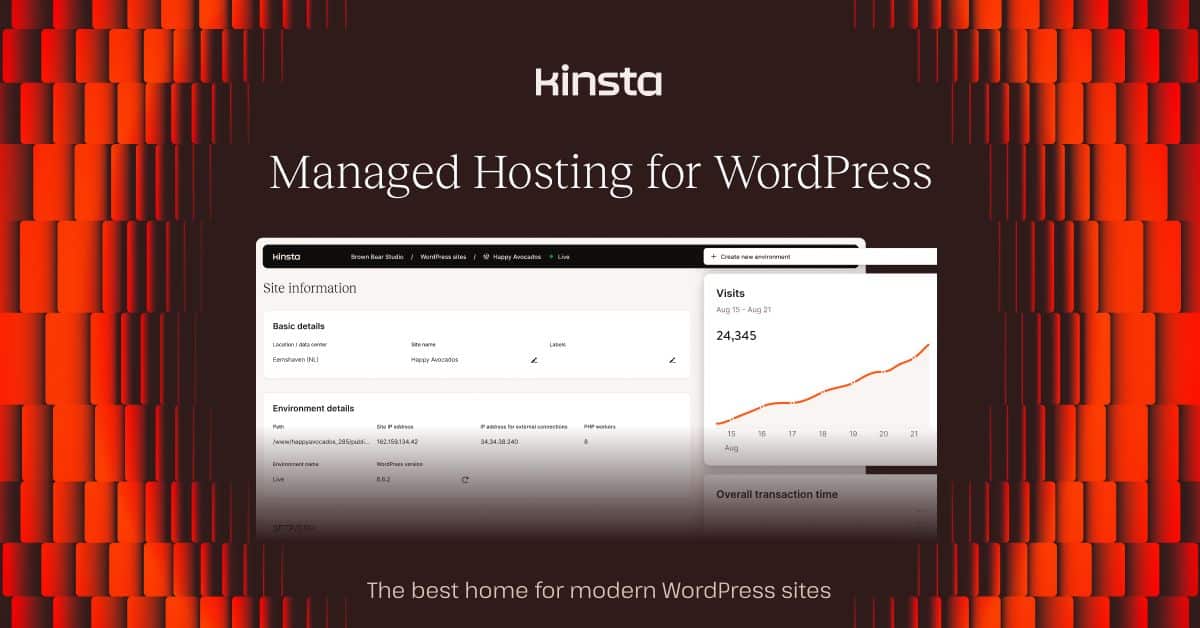
Kinsta runs exclusively on Google Cloud Platform’s premium tier network, and it shows in the performance numbers. This is the host for sites where speed directly impacts revenue — ecommerce, media, SaaS landing pages.
Pricing (visit-based, which matters):
- Starter: $35.00/mo — 1 site, 10GB storage, 25,000 visits
- Pro: $70.00/mo — 2 sites, 20GB storage, 50,000 visits
- Business 1: $105.00/mo — 5 sites, 30GB storage, 100,000 visits
- Business 2: $200.00/mo — 10 sites, 40GB storage, 250,000 visits
What actually impressed us: TTFB was the lowest we measured across all providers. Their container-based architecture means your site isn’t competing with other sites for resources the way shared hosting works. Wildcard SSL certificates are included on every plan — a genuine differentiator when you’re running subdomains. Their MyKinsta dashboard includes real APM (Application Performance Monitoring) tools that actually help you diagnose slow queries and bottlenecks.
Where it falls short: The visit-based pricing model is Kinsta’s Achilles heel. “25,000 visits” sounds like a lot until a blog post goes mildly viral or a bot crawl spikes your numbers. Kinsta counts every PHP request, not just unique visitors, so the real threshold is lower than the number suggests. Overage charges are $1 per 1,000 visits beyond your plan — that can add up fast during traffic spikes.
Like WP Engine, this is WordPress-only. No email hosting either, so factor in the cost of a separate email provider.
Their KeyCDN-based CDN has solid coverage with HTTP/3 support, but it’s not as extensive as Cloudflare’s network. For most sites this doesn’t matter, but if you have significant traffic from regions where KeyCDN has fewer nodes, you’ll notice.
Pros:
- Best raw performance on Google Cloud’s premium network
- Wildcard SSL on all plans
- Container isolation — your site has dedicated resources
- Excellent APM tools for diagnosing performance issues
- No renewal price surprises
Cons:
- Visit-based pricing creates unpredictable bills during traffic spikes
- WordPress only, no email hosting
- Expensive entry point at $35/mo for a single site
- PHP-request counting means “25,000 visits” is misleading
- Overkill for low-traffic sites — you’re paying for headroom you don’t need
Check out Kinsta if performance is non-negotiable and you can budget for visit-based billing.
Bluehost — Best for Beginners
Bluehost is one of the most recommended hosts on the internet, partly because WordPress.org lists them as a recommended host and partly because their affiliate program is generous. Let’s talk about what you actually get.
Worth noting: Bluehost is owned by Newfold Digital (formerly EIG), the conglomerate that also owns HostGator, iPage, and a long list of other hosting brands. This matters because Newfold brands have historically shared infrastructure and support systems, which means the “different” hosts are often more similar under the hood than their marketing suggests.
Pricing (watch the renewal):
- Basic: $3.95/mo intro → $10.99/mo renewal — 1 site, 50GB storage
- Plus: $6.95/mo intro → $16.99/mo renewal — unlimited sites, “unlimited” storage
- Choice Plus: $6.95/mo intro → $21.99/mo renewal — same as Plus with domain privacy
- Pro: $23.95/mo intro → $31.99/mo renewal — dedicated IP
“Unlimited storage” on the Plus plans comes with a fair use policy. In practice, you’ll hit inode limits or get a polite email from their abuse team long before you fill up an actual disk. This is standard across the industry, but Bluehost’s marketing doesn’t exactly highlight it.
The “free domain” is locked to your hosting account for the first year. If you decide to leave, transferring that domain out involves fees and a waiting period. Register your domain separately if you want flexibility.
What actually impressed us: The WordPress setup wizard is genuinely smooth for first-timers. SSL activates automatically (though it took 15-30 minutes in our testing — slower than every other provider here). The cPanel interface is familiar territory if you’ve touched hosting before. Cloudflare CDN integration is built in, though it’s the basic free tier.
Where it falls short: Performance. Bluehost was the slowest host we tested by a noticeable margin. TTFB was consistently higher than competitors, and page loads from non-US locations were sluggish. They run Apache (not LiteSpeed or Nginx), and their shared hosting density means you’re competing for resources with a lot of other sites.
The upselling during checkout is aggressive. You’ll be offered domain privacy, SiteLock security, CodeGuard backups, and SEO tools — most of which you don’t need and some of which (like SSL) should be free and standard. New users may not know which add-ons to decline, and that’s by design.
Support was adequate for basic questions but struggled with anything technical. When we asked about server-level caching options, we were pointed to a generic knowledge base article. Compare this to SiteGround or WP Engine where support staff can discuss PHP worker configuration.
Pros:
- WordPress setup is genuinely beginner-friendly
- cPanel is familiar and well-documented
- Cloudflare CDN included (basic tier)
- Affordable intro pricing
- WordPress.org recommended host (for whatever that’s worth)
Cons:
- Slowest performance in our testing
- Apache servers — no LiteSpeed or Nginx performance benefits
- Aggressive upselling during checkout
- Newfold Digital ownership means shared infrastructure across brands
- Support lacks technical depth
- “Unlimited” claims come with unstated fair use limits
Visit Bluehost if you’re genuinely new to hosting and want the simplest WordPress setup path — but plan to migrate once you outgrow shared hosting.
A2 Hosting — Best for Speed on a Budget
A2 Hosting leans hard into their speed marketing — “20X faster” is plastered everywhere. The asterisk: that claim applies only to their Turbo server plans, which start at $7.95/mo (intro). On their entry plans, you’re getting standard shared hosting performance.
Pricing (the Turbo tax):
- Startup: $3.92/mo intro → $11.99/mo renewal — 1 site, 100GB storage
- Drive: $5.95/mo intro → $13.99/mo renewal — unlimited sites, “unlimited” storage
- Turbo Boost: $7.95/mo intro → $17.99/mo renewal — LiteSpeed Turbo servers
- Turbo Max: $15.95/mo intro → $24.99/mo renewal — optimized Turbo with more resources
What actually impressed us: The Turbo plans genuinely deliver. They run LiteSpeed with their own optimized configuration, and page loads on Turbo Boost were meaningfully faster than their standard plans. The “anytime money-back guarantee” is legitimately unique — most hosts cap their refund window at 30-45 days. A2 will prorate a refund at any point, which shows confidence in retention.
100GB storage on the entry plan is generous compared to SiteGround’s 10GB. If you need disk space for media-heavy sites, A2 gives you more room.
Where it falls short: The standard (non-Turbo) plans are unremarkable. Performance was fine but not noticeably better than Hostinger or Bluehost, despite similar pricing. The “20X faster” marketing creates expectations that only the Turbo tier delivers.
Their CDN is basic Cloudflare — same free tier as Bluehost. No custom optimization, no enterprise features. It works, but it’s not a differentiator.
The control panel experience is cluttered. cPanel with A2’s additions feels busy, and newer users may struggle to find what they need among the options. SiteGround’s cleaner custom panel is easier to navigate, and Hostinger’s hPanel is simpler still.
Pros:
- Turbo plans with LiteSpeed deliver real speed improvements
- Anytime money-back guarantee — unique in the industry
- 100GB storage on the cheapest plan
- Free migration service
- SSH access and developer tools on all plans
Cons:
- Speed claims only apply to Turbo tier (not base plans)
- Standard plans are average performers
- Cluttered control panel interface
- CDN is basic Cloudflare free tier — nothing special
- Renewal prices roughly triple the intro rate
A2 Hosting is worth considering if you’re going directly for the Turbo plans — the standard plans don’t justify choosing them over Hostinger.
Use Case Recommendations
WordPress Sites
SiteGround if you want integrated caching and CDN that just works. WP Engine if you want fully managed and can afford the premium. Either way, make sure your plan’s storage actually fits your content — both are stingy on the entry tier.
For more WordPress-specific options, see our Best WordPress Hosting 2026 comparison.
Beginners
Bluehost for the easiest setup path, but understand you’re trading performance for simplicity. Hostinger is nearly as simple with better performance thanks to LiteSpeed servers — it’s worth the slightly less polished onboarding experience.
Our Best Web Hosting Services 2026 guide covers additional options with setup walkthroughs.
Ecommerce
WP Engine or Kinsta — you need the security layers, the staging environments, and the performance consistency that premium managed hosting provides. A slow checkout page costs you money. Don’t cheap out on ecommerce hosting.
See our Best WooCommerce Hosting 2026 for ecommerce-specific testing.
High-Traffic Sites
Kinsta for raw performance on Google Cloud, but watch the visit-based billing. Cloudways if you want to scale resources on demand without visit caps. Both give you dedicated resources instead of shared hosting lottery.
Our Best Hosting for High Traffic Sites 2026 goes deeper on scalability.
Budget-Constrained
Hostinger is the clear winner. LiteSpeed servers, reasonable renewal rates, and adequate CDN at the lowest price point. It’s not going to win performance benchmarks, but it covers the essentials without cutting critical corners.
More options in our Best Cheap Hosting 2026 roundup.
Agencies
Cloudways for multi-client management with real infrastructure. The pay-as-you-go model, staging environments, and team collaboration tools are built for this use case. The lack of email hosting is the main friction point — budget for Google Workspace or similar.
Our Best Managed WordPress Hosting 2026 covers more agency-oriented options.
Real Cost Comparison
The table below shows what you’ll actually pay — intro rates and renewal rates side by side. Budget for the renewal column.
| Provider | Entry (intro/renewal) | Mid (intro/renewal) | Premium (intro/renewal) | Billing Model |
|---|---|---|---|---|
| Hostinger | $2.99 / $7.99 | $4.99 / $9.99 | $7.99 / $15.99 | Fixed renewal |
| SiteGround | $3.99 / $17.99 | $6.69 / $27.99 | $10.69 / $39.99 | Steep renewal jump |
| Cloudways | $14.00 / $14.00 | $16.00 / $16.00 | $37.36 / $37.36 | No intro pricing |
| WP Engine | $25.00 / $25.00 | $49.00 / $49.00 | $96.00 / $96.00 | No intro pricing |
| Kinsta | $35.00 / $35.00 | $70.00 / $70.00 | $105.00 / $105.00 | Visit-based caps |
| Bluehost | $3.95 / $10.99 | $6.95 / $16.99 | $6.95 / $21.99 | Moderate renewal jump |
| A2 Hosting | $3.92 / $11.99 | $5.95 / $13.99 | $7.95 / $17.99 | Turbo = real value |
The honest takeaway on pricing: Cloudways, WP Engine, and Kinsta charge more upfront but don’t play the renewal game. SiteGround and Bluehost look cheap initially but the renewal jump is significant. Hostinger manages to stay affordable even after renewal, which is genuinely impressive. A2 Hosting is only worth the premium if you’re on Turbo plans.
SSL and CDN: What You’re Actually Getting
SSL Certificates
Every provider here uses Let’s Encrypt for free SSL certificates. These are Domain Validated (DV) certs that provide the same encryption strength as paid certificates — your visitors get the padlock icon and HTTPS, which is what matters for search rankings and browser trust.
Wildcard SSL (covering *.yourdomain.com) is only included free on Kinsta and WP Engine. Everyone else requires you to provision individual certificates per subdomain or pay for a wildcard upgrade.
Extended Validation (EV) certificates — the ones that used to show the company name in green in the browser bar — aren’t included anywhere. Most browsers have de-emphasized EV indicators anyway, making them largely irrelevant for most sites. If you’re running a bank, talk to your compliance team. Otherwise, DV is fine.
CDN Networks
Cloudflare-backed: SiteGround, Bluehost, A2 Hosting, and Cloudways all use Cloudflare to varying degrees. But “uses Cloudflare” is a spectrum — Cloudways gets Enterprise features while Bluehost and A2 get the free tier. The difference shows up in advanced features like image optimization, WAF rules, and edge caching behavior.
Proprietary CDNs: Kinsta uses KeyCDN, WP Engine runs their Global Edge Security network, and Hostinger has their own CDN. These tend to have fewer edge locations but tighter integration with the hosting stack. Fewer locations doesn’t automatically mean slower — a well-optimized CDN with 30 nodes can outperform a poorly configured one with 200.
What actually matters for CDN performance: Edge location count is a marketing number. What matters is whether they have nodes near your audience. If 90% of your traffic is from the US and Western Europe, a CDN with 30 well-placed nodes serves you just as well as one with 200+ that includes coverage in regions you don’t need.
Caching Stack
This is where providers actually differentiate:
- Cloudways: Varnish + Redis + Memcached — the full stack, every plan
- Kinsta: Server-level caching + Redis (add-on on lower plans)
- SiteGround: SuperCacher (static + dynamic + Memcached on higher plans)
- Hostinger: LiteSpeed Cache (LSCache) — built into the server
- WP Engine: EverCache — proprietary, works well but you can’t customize it
- A2 Hosting: LiteSpeed Cache on Turbo plans, basic caching otherwise
- Bluehost: Basic server-side caching — nothing to write home about
If you know what Redis and Memcached do and want control over your caching layers, Cloudways is the clear winner. If you want caching that just works without configuration, SiteGround or WP Engine.
Security Beyond the Padlock
SSL encrypts the connection. CDN distributes your content. Neither protects you from application-layer attacks, brute force attempts, or WordPress vulnerabilities. Here’s what each provider adds:
Web Application Firewalls: WP Engine and Kinsta include WAF rules tuned for WordPress. SiteGround has their own AI-driven bot detection system. Cloudways provides server-level firewalls. Bluehost, Hostinger, and A2 offer basic protection but rely more on you adding security plugins.
DDoS Protection: Any provider using Cloudflare gets basic DDoS mitigation. Kinsta benefits from Google Cloud’s infrastructure-level protection. For most sites, this is sufficient. If you’re a target for sustained DDoS attacks, you need a dedicated security service regardless of your host.
Backups: Daily automated backups are included on most providers’ mid-tier plans and above. Hostinger only does weekly backups on their cheapest plan — a genuine limitation for sites that update frequently. Our Best Hosting with Daily Backups 2026 guide covers backup strategies in more detail.
Migration Reality Check
Switching hosts isn’t just a technical task — it’s a DNS propagation waiting game. Plan for 24-48 hours where some visitors see your old site and some see the new one. Premium hosts can set up SSL certificates on the new server before you switch DNS, which prevents the “insecure site” warning during transition.
Hands-off migration: SiteGround, WP Engine, and Kinsta handle the full process including SSL and CDN configuration. This is worth paying for if you’re not comfortable with database exports and DNS records.
Guided migration: Hostinger and A2 Hosting offer free migration but may require you to handle some SSL and CDN setup steps manually.
DIY migration: Cloudways provides migration plugins and documentation but assumes you know your way around server management. Their target audience expects this.
For a detailed breakdown, see our Best Hosting with Free Migration 2026 guide.
Final Recommendation
SiteGround is our top pick for most people — the CDN and caching integration is genuinely well-executed, SSL provisioning is instant, and WordPress performance is strong. Just budget for the renewal rate, not the intro price, and start with at least the GrowBig plan if you need staging or Memcached.
Cloudways is the right choice if you want real cloud infrastructure, transparent pricing, and a proper caching stack. It’s not for beginners, and the lack of email hosting is annoying, but for developers and agencies it’s the most capable platform here.
Hostinger is where you go when budget matters most. LiteSpeed servers give it a real performance edge over other budget hosts, and the renewal rates are honest. It won’t compete with managed WordPress hosts on features, but it covers the fundamentals well.
Bluehost is the weakest recommendation on this list. It’s fine for absolute beginners who want the easiest WordPress setup, but the performance gap, Newfold Digital ownership concerns, and aggressive upselling make it hard to recommend when Hostinger exists at a similar price point with better performance.
Frequently Asked Questions
What’s the difference between free and paid SSL certificates?
Practically nothing for most websites. Free Let’s Encrypt certificates provide identical encryption to paid certificates. Paid certificates add organization validation (proving your business exists) and sometimes include warranty coverage. Unless your compliance requirements specifically mandate OV or EV certificates, free DV certificates are all you need.
How much would a CDN cost separately?
Cloudflare’s free tier handles basic CDN needs. Paid CDN services run roughly $0.08-0.20 per GB of bandwidth — for a site using 100GB/month, that’s $8-20 on top of your hosting. Having CDN bundled saves money and eliminates configuration headaches.
Can I use my own SSL certificate instead of the free one?
Yes, every provider here supports custom certificate uploads. This is mainly relevant if you need OV or EV certificates for compliance reasons, or if you’re using a certificate from a specific CA your organization requires.
How long does SSL activation actually take?
In our experience: Kinsta and WP Engine were essentially instant. SiteGround was under five minutes. Cloudways took two to three minutes. Hostinger and A2 Hosting were under ten minutes. Bluehost was the slowest at fifteen to thirty minutes. These times assume your DNS is already pointed at the host — if you’re mid-migration with DNS still propagating, add hours to any of these numbers.
Do these CDNs work with non-WordPress sites?
Yes. The CDN layer works at the server/network level regardless of your CMS. However, WP Engine and Kinsta only host WordPress, so the CDN question is moot there — you can’t run Drupal or a static site on their platform.
What happens if my SSL certificate fails to renew?
All providers here auto-renew Let’s Encrypt certificates, which expire every 90 days. Renewal failures are rare but do happen — usually due to DNS misconfiguration or a domain that’s been pointed elsewhere. Most providers send warnings before expiry. If it does lapse, your site shows a browser security warning until it’s resolved, which typically takes minutes once you contact support.
Can I upgrade CDN features later?
SiteGround offers Cloudflare Pro as a paid add-on. Cloudways includes enterprise Cloudflare features by default. Kinsta lets you increase CDN bandwidth allocations. For most sites, the included CDN tier is sufficient — you’d typically see bigger performance gains from optimizing your images and reducing plugin bloat than from upgrading your CDN tier.
Recommended Tools & Resources
If you’re exploring this topic further, these are the tools and products we regularly come back to:
Some links on this page are affiliate links. If you click one and purchase or sign up for a service, we earn a commission at no extra cost to you. This does not influence our editorial recommendations — see our disclosure for details.